
Building a GPU PC, Part 5: Which Motherboard to Choose?

This time, we select the motherboard.
Before we follow the rest of Jun's shopping trip, let's quickly review chipsets once more.
Both 12th- and 13th-generation Intel Core CPUs use the LGA 1700 socket, and in many cases a 12th-generation chipset is also compatible with 13th-generation CPUs. However, to get the latest features and optimal performance, it is recommended to use a chipset that matches the CPU's generation.
For example, the chipsets designed for 12th-generation Intel Core CPUs include the following. For AI use, you will be using a GPU, so a high-end chipset such as the Z690 or H670 is the safe choice.
- Z690: A high-performance chipset offering overclocking support, a PCIe 5.0 x16 slot, a large number of PCIe 4.0 lanes, high-speed USB 3.2 Gen 2x2 connectivity, and multiple M.2 slots for fast storage.
- H670: Does not support overclocking, but otherwise offers a feature set close to the Z690.
- B660: Limited PCIe 5.0 support and no overclocking support, but a chipset with excellent cost performance.
- H610: Provides only basic features, with limited support for PCIe 4.0 and high-speed USB.
Now, let's turn our attention back to Jun.
(3) Motherboard chipset: Z690 for a 12th-generation CPU, or Z790 for a 13th-generation CPU. ATX form factor.
For the CPU, I have narrowed it down to
- 13th-generation i5 13600
- 12th-generation i7 12700
, but which motherboard should I pair with it?
Should the chipset be the Z690 or the Z790?
When I consulted the store clerk, he said that for AI use (i.e., with a GPU installed), a Z690 chipset motherboard is recommended for a 12th-generation CPU, and a Z790 chipset motherboard for a 13th-generation CPU.
That raised one question for me.
As I recall, both the 13th-generation and 12th-generation Core series use the LGA1700 CPU socket.
So shouldn't it be possible to install a 13th-generation i5 13600 on a Z690 chipset motherboard as well?
I put this question to the clerk.
Me: "A 13th-generation Core CPU will work on a Z690 chipset motherboard, right?"
"Hmm. That depends on the motherboard's support."
Me: "Really? I thought that since 13th-generation CPUs are also LGA1700, they would work with the Z690 chipset too."
"It's true they share LGA1700, but that doesn't mean a 13th-generation CPU will simply work on the Z690, which is a 12th-generation chipset. The Z690 is, after all, a chipset for the 12th generation."
Me: "I see. So a Z690 motherboard combined with a 13th-generation Core i5 13600 is a no-go, then."
"It's not a complete no-go."
Me: "Oh?"
"Depending on the manufacturer, some Z690 motherboards officially support up to the 13th generation after a firmware update, and there are also many cases where a 13th-generation CPU works on a Z690 chipset motherboard as-is, without doing anything. But support varies by motherboard and manufacturer, so I'd suggest either checking with the manufacturer individually, or using a chipset made for the 13th generation, such as the Z790, with a 13th-generation CPU."
Me: "I see, that's how it is. Now I understand."
There is actually a reason I pressed the point this hard.
Z690 motherboards are cheaper.
It may be obvious, but my impression is that the latest Z790 motherboards sell for roughly 20,000 yen more.
That is why I thought a Core i5 13600 paired with a Z690 would be a well-balanced combination.
But asking these questions deepened my understanding, and I reached a conclusion.
After consulting with the clerk, I decided to go with a Z690 motherboard, since Z690 boards are cheaper than Z790 boards and, performance-wise, the 12th generation is not that far behind the 13th.
The motherboard I chose is the ASRock Z690 Steel Legend. I got it for somewhere in the high 30,000-yen range.
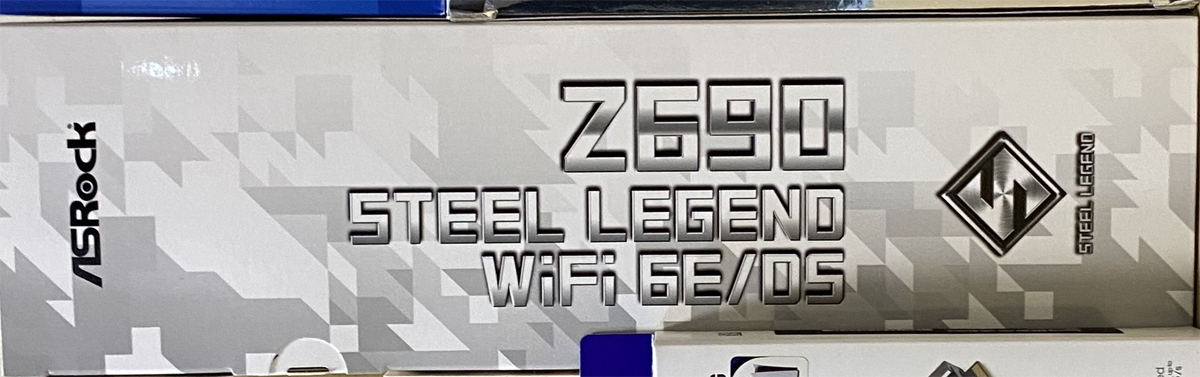
At last, I have purchased my first part.
And choosing this motherboard automatically decided the CPU as well.
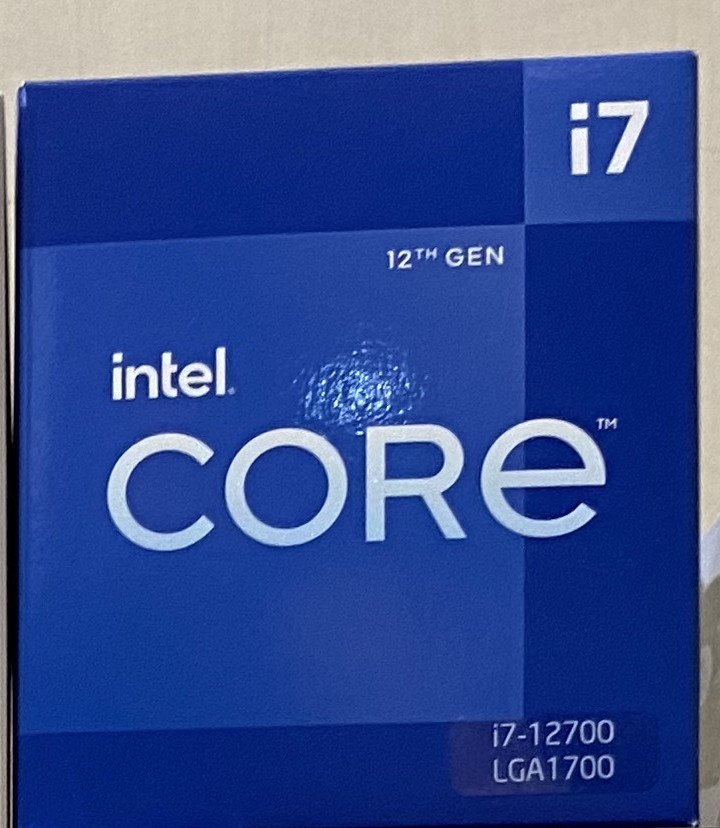
12th-generation i7 12700 it is!
I picked up the CPU at the same store.A 12th-generation Intel Core i7 12700K.
How did you find this installment? Jun was torn between two CPUs that were close in performance and price, and this time made the call based on motherboard price. That said, it is not a compromise: the Z690 is the best of the 12th-generation chipsets and offered better cost performance than the Z790, which is how this outcome came about.
When building a PC, overall balance is what matters. Money is not unlimited, so you have to decide where to invest and where good enough is good enough. It is a continuous series of small adjustments like these, and I feel that is exactly what makes building your own PC so enjoyable.
Next time, we move on to selecting the peripheral parts such as memory and the power supply.
navigation



