
Building a GPU PC, Part 20: Software – Running Code on the GPU
Without further ado, let's run some Python code on the GPU.
4.3 Writing GPU-Accelerated PyTorch Code in Jupyter Notebook
STEP 1: Open a terminal and create a directory for the PyTorch project
Enter the following commands:
mkdir pytorch_pj
cd pytorch_pj
STEP 2: Launch Jupyter Notebook
Once you have moved into the directory, run
jupyter notebook
to launch Jupyter Notebook.
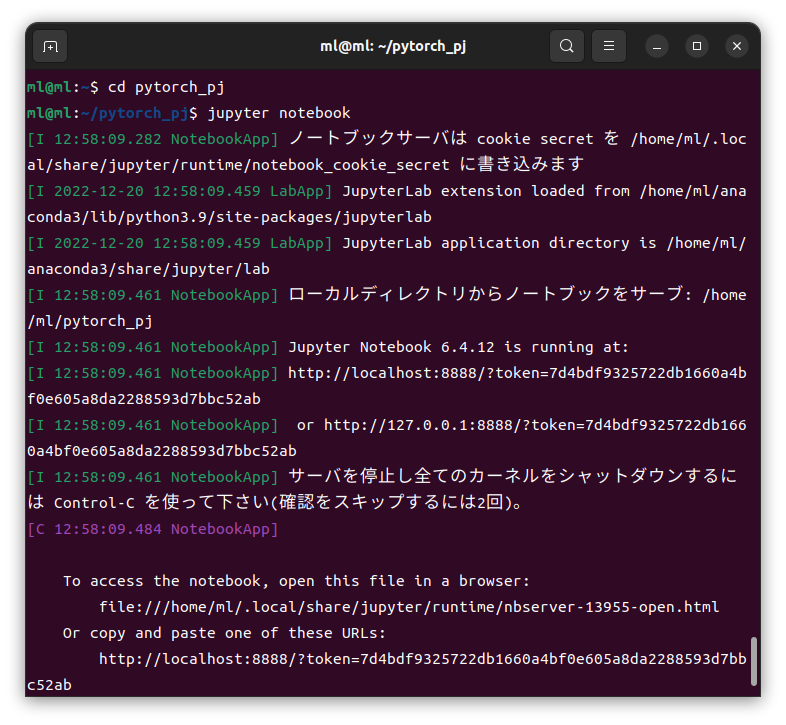
Jupyter Notebook is a tool that combines three capabilities: writing and running Python code, displaying execution results, and editing free-form comments (Markdown). Since it is easy to use, let's try things out in Jupyter Notebook.
Jupyter Notebook has started.
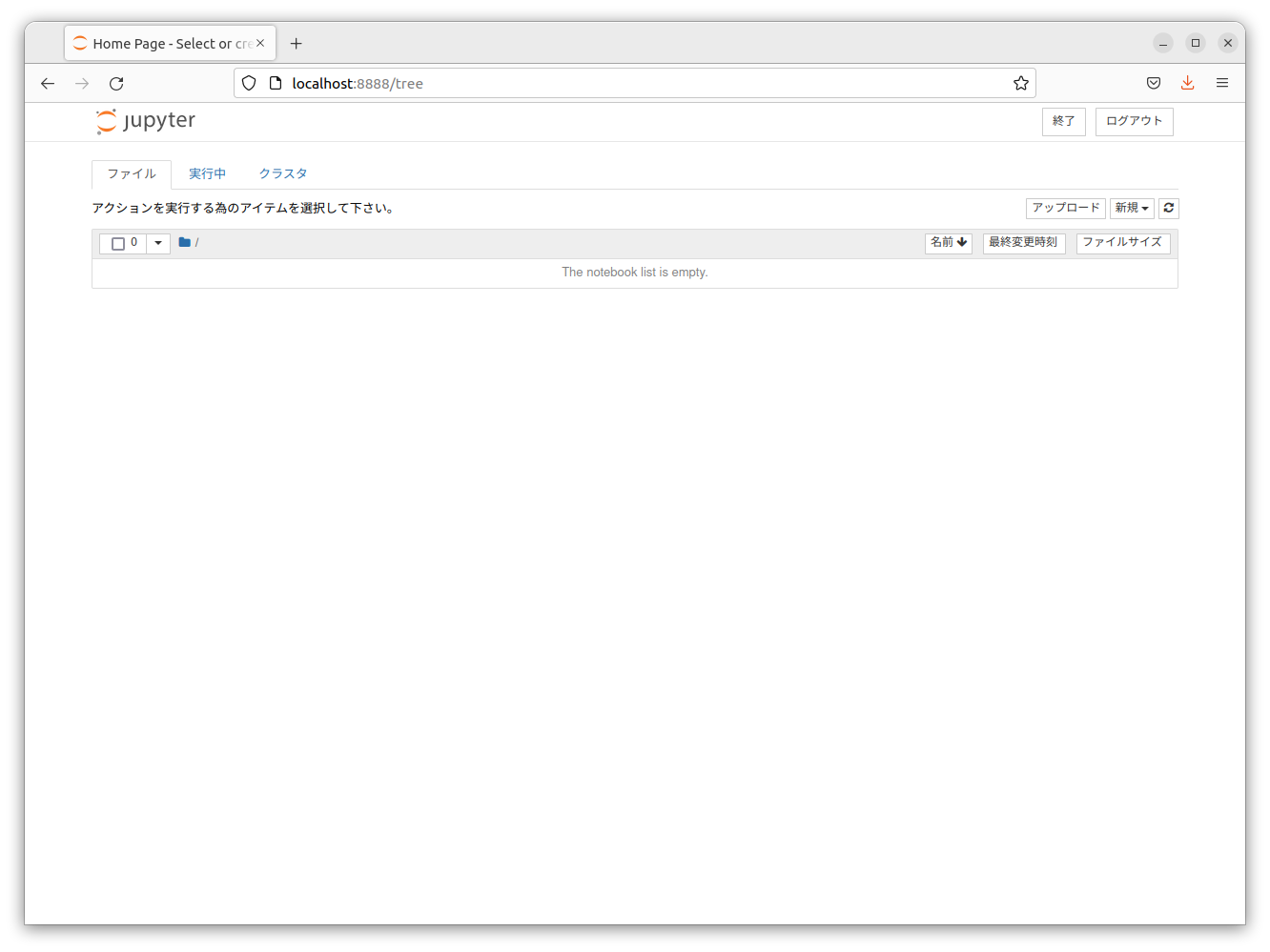
Click New in the upper right and select Python 3.
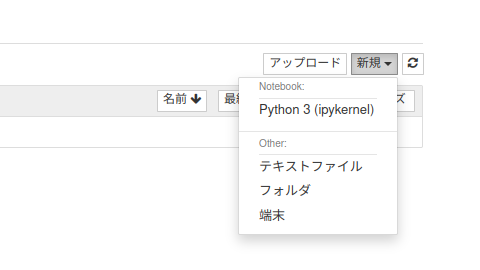
STEP 3: Write the code
Enter the following code into the new Notebook you just opened.
from __future__ import print_function
import torch

if torch.cuda.is_available(): # TRUE if CUDA is available
    device = torch.device("cuda")          # Get the CUDA device
    x = torch.empty(5, 3)                  # Create a tensor on the CPU
    y = torch.ones_like(x, device=device)  # Create a tensor directly on the GPU
    print(y)
    x = x.to(device)                       # Transfer the tensor created on the CPU to the CUDA device
    print(x)
    print("CUDA version:"+torch.version.cuda) # Print the CUDA toolkit version PyTorch is using
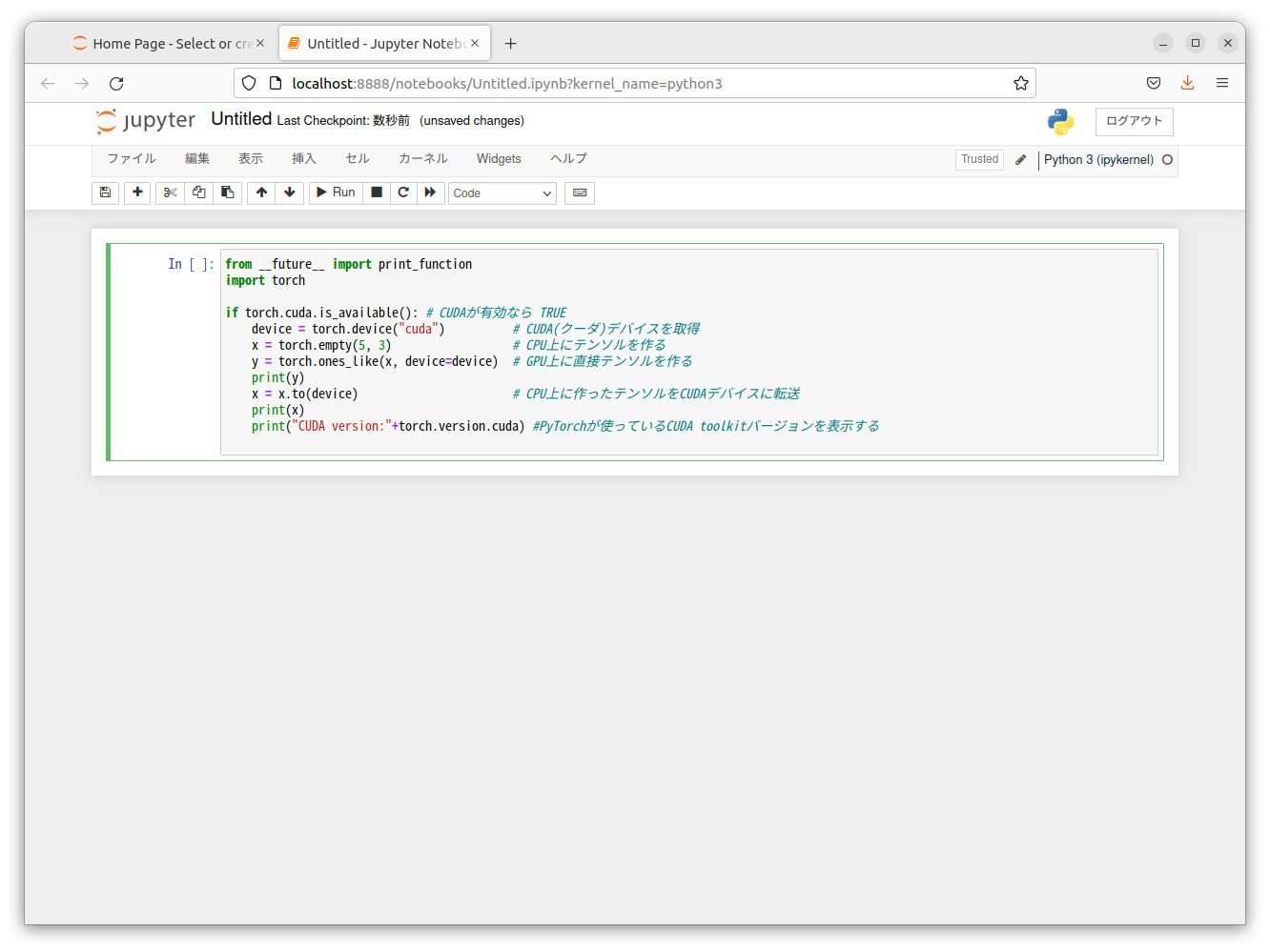
Click RUN.
The results confirm that the code ran successfully on the GPU using CUDA.
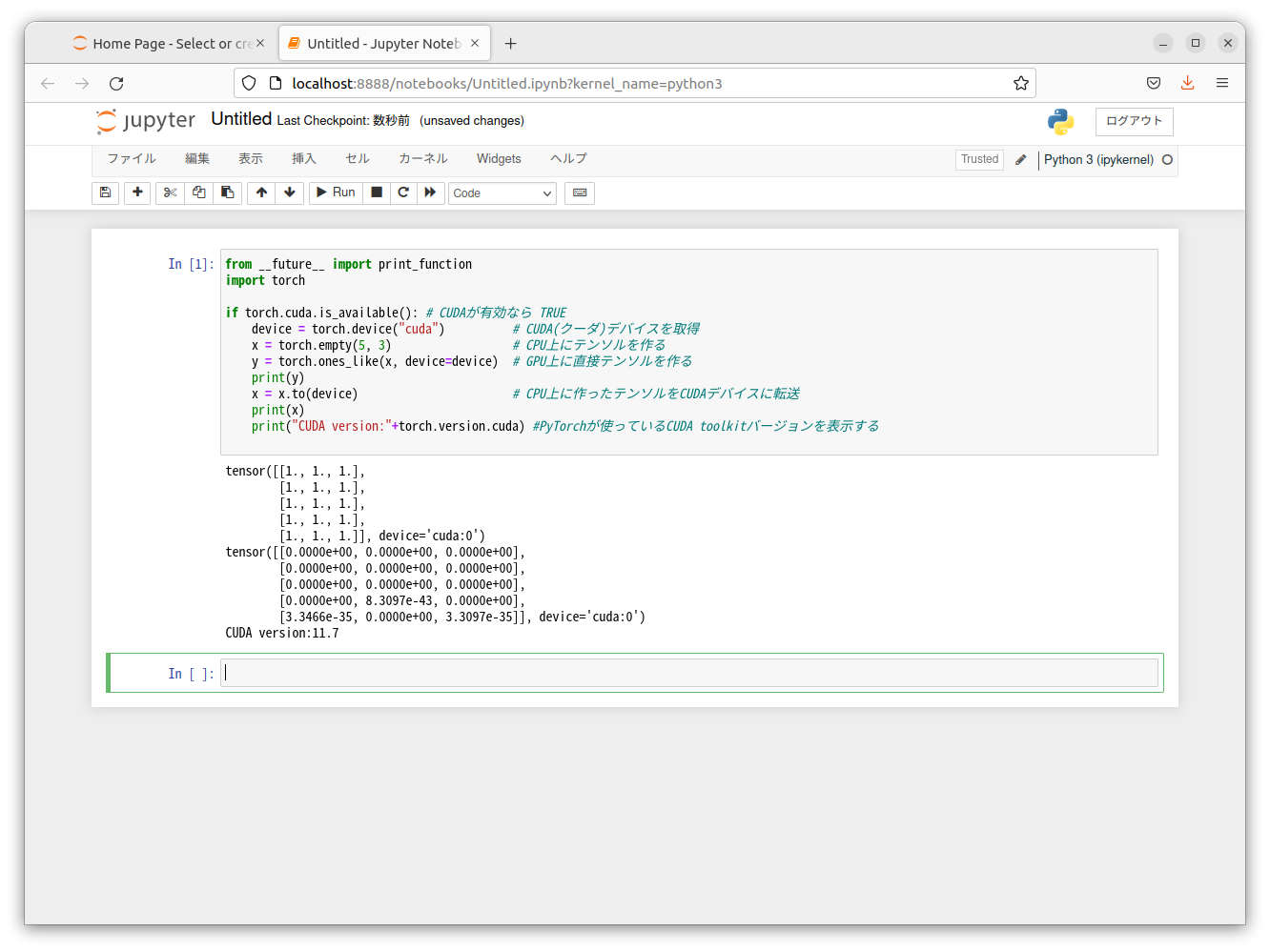
With this, the setup is complete!
You are now ready for GPU-accelerated AI development!
Beyond the DIY build: thinking about GPU environments for research and business use.
The know-how gained from building your own GPU machine carries over directly to infrastructure selection for research, PoCs, and production.
We build and operate our own GPU clusters and develop LLM products on them. We can also support a wide range of needs, from consumer to professional use, including the procurement of GPU workstations for research on Intel Core and Intel Xeon architectures. Beyond workstation procurement and build support, we offer advice grounded in operational experience on what comes next: setting up training environments, selecting the optimal GPUs, optimizing inference, and designing distributed configurations.
See our LLM infrastructure and platform technology services →navigation



