
Buffering Incrementally Generated Tokens

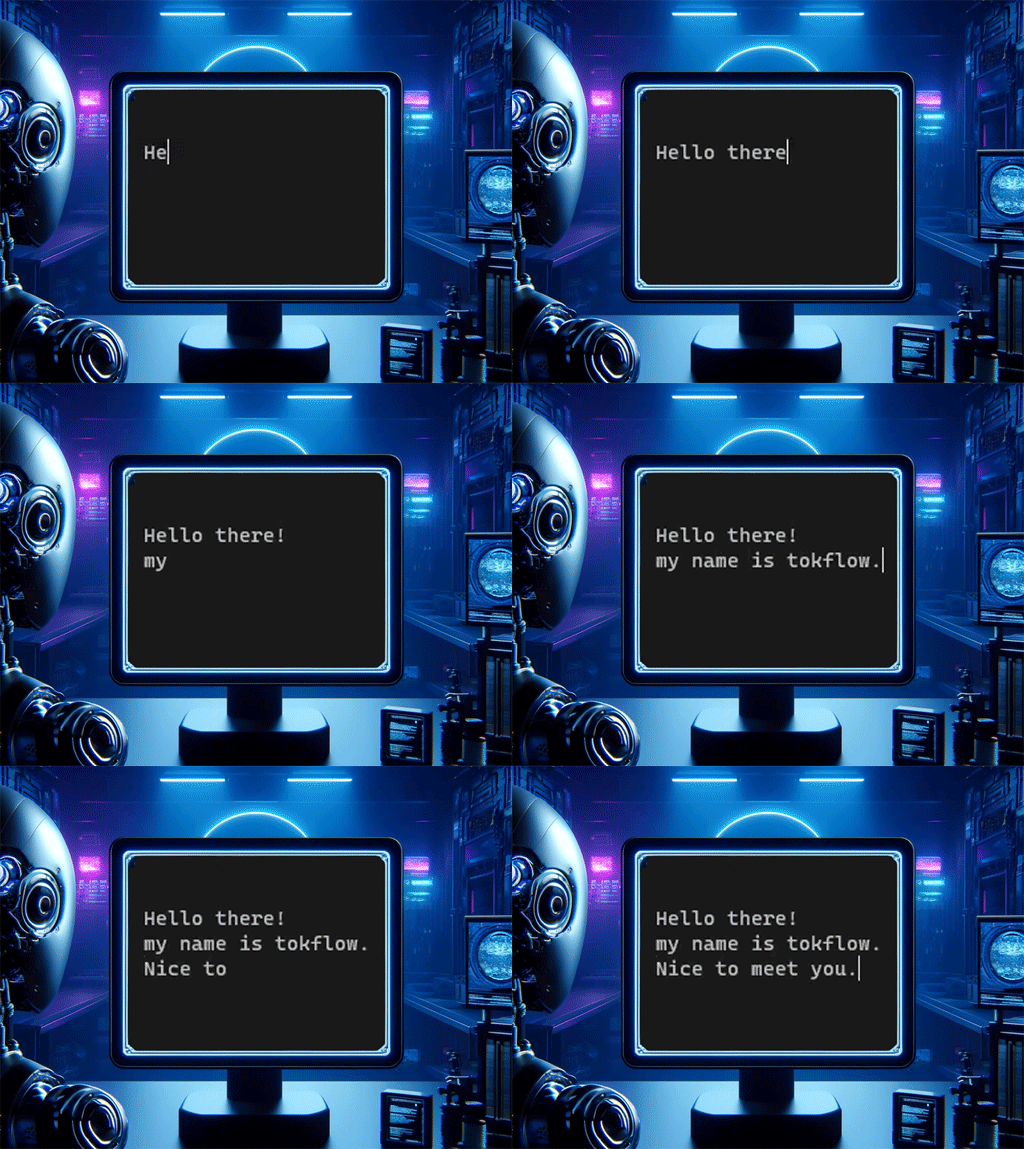
Hello from the Qualiteg Product Development Department.
Today we would like to introduce a way to deal with the fragmented-token problem that often comes up during inference.
In the incremental generation used for streaming chat, text is generated one token at a time. A token, however, is neither a "word" nor a "single character"; it depends on how the tokenizer used during training processes the text.
Typically, tokenization goes morphological analysis → subwords → vocabulary construction. In the process, tags that matter later during text generation, such as a "<NL>" tag, can end up chopped into pieces even though they carry important meaning. For example, the tag might be shattered into "<" "N" "L>".
(There are ways to avoid this, but here we consider what to do when you are handed an already-trained model.)
When this pattern occurs, we want to recognize "<NL>" during incremental generation and, when responding to the user in the chat UI, avoid showing the intermediate "<" "N" as it is generated. This post introduces a technique for that.
Suppose the following text is what ultimately gets generated:
"Hello there!<NL>my name is tokflow."
and suppose that with incremental generation it comes out like this:
(In reality, tokenization this bad would never happen.)
"He"
"Hello"
"Hello "
"Hello t"
"Hello th"
"Hello there"
"Hello there!<"
"Hello there!<N"
"Hello there!<NL>m"
"Hello there!<NL>my "
"Hello there!<NL>my nam"
"Hello there!<NL>my name"
"Hello there!<NL>my name "
"Hello there!<NL>my name is"
"Hello there!<NL>my name is tokfl"
"Hello there!<NL>my name is tokflow."
The point to note here is that "<NL>" has been split into "<" "N" "L>m".
When showing the generated result to the user, if "<NL>" is a special tag meaning a line break, then at the moment we see "<" or "N" we cannot yet tell whether it is a special tag or part of the body text. As a result, a streaming chat UI with loose handling will simply display the "<" or "N" as-is.
To avoid this, we need processing that holds off on outputting to the UI when "<" or "N" appears, waits until "<NL>" is confirmed, and then outputs it as a line break.
We call this token buffering.
Qualiteg has released a Python library that performs this token buffering, so we will explain how to use it here.
The library is called TokFlow. It is a utility that buffers the tokens generated incrementally by a large language model and outputs them while performing any required replacements.
When you feed in text fragments (tokens) one after another, like the small pieces shown below, it can output them while replacing the strings that need replacing as they occur.
Because tokens are buffered and output with a delay, the pre-replacement tokens are never output.
["He","llo"," ","t","h","ere","!<","N","L>m","y ","nam","e"," ","is"," tokfl","ow.","<","N","L>N","ice"," to ","me","et you."]

The example above shows the library detecting occurrences of <NL> and replacing them with \n as it outputs.
The library lets you:
- specify any string you like as the replacement target
- specify multiple replacement conditions
Installing TokFlow
pip install tokflow
Usage / sample code
import time
from tokflow import TokFlow

TOKEN_GENERATOR_MOCK = ["He", "llo", " ", "t", "h", "ere", "!<", "N", "L>m", "y ", "nam", "e", " ", "is", " tokfl", "ow.",
                  "<", "N", "L>N", "ice", " to ", "me", "et you."]

# Replace "<NL>" with "\n". "<NL>" is the search string; "\n" is the replacement string.
# Multiple replacement conditions can be specified.
tokf = TokFlow([("<NL>", "\n")])

for input_token in TOKEN_GENERATOR_MOCK:
    # Feed in tokens (short strings of about 1-2 characters that are fragments of the text) one by one. Tokens are buffered internally.
    output_token = tokf.put(input_token)

    # output_token receives whatever output token can be emitted right now.
    # If a search string could still appear while tokens are being buffered,
    # the output token will be an empty string.
    print(f"{output_token}", end="", flush=True)

    # Insert a wait so the incremental generation can be observed visually
    time.sleep(0.3)


# Once all tokens have been fed in, call flush at the end to emit whatever remains in the buffer
print(f"{tokf.flush()}", end="", flush=True)
Generation options
The put method accepts an optional parameter opts, as in put(text,opts).
opts lets you specify the input format and output format, as in {"in_type":"spot","out_type:"spot" }.
It behaves as follows.
| in_type | out_type | Description |
|---|---|---|
| spot | spot | Send tokens to the put method one at a time; output only the newly generated portion each time. |
| spot | full | Send tokens to the put method one at a time; output the full sentence. |
| full | spot | Send the full sentence to the put method at once; output only the newly generated portion each time. |
| full | full | Send the full sentence to the put method at once; output the full sentence. |
Notes:
- All strings must be sent to the
putmethod before calling theflushmethod. Infullmode in particular, all input strings are sent at once. - When the output type (
out_type) isfull, you must call theflushmethod to obtain the final result. - To keep each mode consistent, it is important to combine the calling pattern of the
putmethod with the use of theflushmethod appropriately.
Code example
Specify the rule as in condition = {"in_type": "full", "out_type": "full"} and pass condition as the argument to put and flush.
    tokf = TokFlow([("<NL>", "\n")])

    condition = {"in_type": "full", "out_type": "full"}
    prev_len = 0
    for input_token_base in get_example_texts():
        output_sentence = tokf.put(input_token_base, condition)

        print(f"output_sentence:{output_sentence}")

        if prev_len > len(output_sentence):
            raise ValueError("Length error")

        if "<NL>" in output_sentence:
            raise Exception("Failure Must be converted str found.")

        prev_len = len(output_sentence)

    output_sentence = tokf.flush(condition)
The SentenceStop class: detecting a stop string and halting text generation
The SentenceStop class detects specific keywords and stops text generation at the point where a keyword is found. It assumes a situation in which text is input one character at a time.
Main features
- Detection of specific keywords: Detects specific keywords within a string. A detected keyword is treated as a stop string.
- Stopping text generation: Stops text generation at the position of the detected stop string. Specifically, it returns the text as of the point where the stop string was detected.
- Real-time processing: It assumes a situation in which the string is input one character at a time, so it can process in real time.
How to use
Specify the keywords to stop on at initialization. Then feed input one character at a time with the put method; when a stop string is found, the text as of that point is returned. Once all input is finished, use the flush method to output the remaining text.
The put method accepts an optional parameter opts, as in put(text,opts).
opts takes the form {"in_type":"spot","out_type:"spot","skip_existing_stop_str":True }.
About in_type and out_type
It behaves as follows.
| in_type | out_type | Description |
|---|---|---|
| spot | spot | Send tokens to the put method one at a time; output only the newly generated portion each time. |
| spot | full | Send tokens to the put method one at a time; output the full sentence. |
| full | spot | Send the full sentence to the put method at once; output only the newly generated portion each time. |
| full | full | Send the full sentence to the put method at once; output the full sentence. |
About skip_existing_stop_str
When skip_existing_stop_str:True is set,
even if the text passed on the first put call contains a stop string, no stop is triggered there.
Sample 1
import sys

sys.path.append('../')

import time
from tokflow import SentenceStop

"""
Stop the streamed sentence at the point where the specified stop string "<NL>" is detected
"""

FULL_STREAM_TEXTS = texts = [
    'は',  #
    'はい',  #
    'はい、',  #
    'はい、こちら',  #
    'はい、こちらを',  #
    'はい、こちらをお',  #
    'はい、こちらをお勧め',  #
    'はい、こちらをお勧めします',  #
    'はい、こちらをお勧めします。',  #
    'はい、こちらをお勧めします。<',  #
    'はい、こちらをお勧めします。<N',  #
    'はい、こちらをお勧めします。<NL',  #
    'はい、こちらをお勧めします。<NL>',  #
    'はい、こちらをお勧めします。<NL><',  #
    'はい、こちらをお勧めします。<NL><N',  #
    'はい、こちらをお勧めします。<NL><NL',  #
    'はい、こちらをお勧めします。<NL><NL>',  #
    'はい、こちらをお勧めします。<NL><NL>「',  #
    'はい、こちらをお勧めします。<NL><NL>「ハチ',  #
    'はい、こちらをお勧めします。<NL><NL>「ハチ公',  #
    'はい、こちらをお勧めします。<NL><NL>「ハチ公像',  #
    'はい、こちらをお勧めします。<NL><NL>「ハチ公像」',  #
    'はい、こちらをお勧めします。<NL><NL>「ハチ公像」は',  #
    'はい、こちらをお勧めします。<NL><NL>「ハチ公像」は、',  #
    'はい、こちらをお勧めします。<NL><NL>「ハチ公像」は、最も有名な',  #
]

sens = SentenceStop(["<NL>"])

condition = {"in_type": "full", "out_type": "full"}

for input_token_base in FULL_STREAM_TEXTS:

    out = sens.put(input_token_base, condition)

    text = out.get("text")  # the text that should be output
    stop_str_found = out.get("stop_str_found")  # whether a stop string was detected
    possible = out.get("possible")  # whether a stop string is possibly in the process of being detected
    stop_str = out.get("stop_str")  # the stop string (if multiple stop strings were specified, which one was detected)

    print(f"text:'{text}' possible:{possible} stop_str_found:{stop_str_found} stop_str:{stop_str}")
    if stop_str_found:
        # If a stop string was detected, stop processing
        break
    time.sleep(0.01)

if not stop_str_found:
    # If we reached the end without detecting a stop string,
    # output all of the pending text
    # (if a stop string was detected, the text up to just before the stop string has been output, so no flush is needed)
    print(f"flush:{sens.flush(condition)}", end="", flush=True)
At the point where <NL> is detected, the stop_str_found flag becomes True, and text generation can be stopped at はい、こちらをお勧めします。 ("Yes, I recommend this.").
Sample 2: when the input already contains the stop string
When "skip_existing_stop_str": True} is specified, as in condition = {"in_type": "full", "out_type": "full", "skip_existing_stop_str": True} below,
the first input text はい、<NL>こちらを contains the stop string
<NL>, but the <NL> in the first text is not treated as a stop string and is skipped.
import sys

sys.path.append('../')

import time
from tokflow import SentenceStop

"""
When starting from a part that already contains the stop string "<NL>",
skip the existing one and stop at the point where the specified stop string "<NL>" is detected in the sentence streamed afterward
"""

FULL_STREAM_TEXTS = texts = [
    'はい、<NL>こちらを',  #
    'はい、<NL>こちらをお',  #
    'はい、<NL>こちらをお勧',  #
    'はい、<NL>こちらをお勧め',  #
    'はい、<NL>こちらをお勧めし',  #
    'はい、<NL>こちらをお勧めしま',  #
    'はい、<NL>こちらをお勧めします',  #
    'はい、<NL>こちらをお勧めします。',  #
    'はい、<NL>こちらをお勧めします。<',  #
    'はい、<NL>こちらをお勧めします。<N',  #
    'はい、<NL>こちらをお勧めします。<NL',  #
    'はい、<NL>こちらをお勧めします。<NL>',  #
    'はい、<NL>こちらをお勧めします。<NL>「',  #
    'はい、<NL>こちらをお勧めします。<NL>「ハチ',  #
    'はい、<NL>こちらをお勧めします。<NL>「ハチ公',  #
    'はい、<NL>こちらをお勧めします。<NL>「ハチ公像',  #
    'はい、<NL>こちらをお勧めします。<NL>「ハチ公像」',  #
    'はい、<NL>こちらをお勧めします。<NL>「ハチ公像」は',  #
    'はい、<NL>こちらをお勧めします。<NL>「ハチ公像」は、',  #
    'はい、<NL>こちらをお勧めします。<NL>「ハチ公像」は、最も有名な',  #
]

sens = SentenceStop(["<NL>"])

condition = {"in_type": "full", "out_type": "full", "skip_existing_stop_str": True}

for input_token_base in FULL_STREAM_TEXTS:

    out = sens.put(input_token_base, condition)

    text = out.get("text")  # the text that should be output
    stop_str_found = out.get("stop_str_found")  # whether a stop string was detected
    possible = out.get("possible")  # whether a stop string is possibly in the process of being detected
    stop_str = out.get("stop_str")  # the stop string (if multiple stop strings were specified, which one was detected)

    print(f"text:'{text}' possible:{possible} stop_str_found:{stop_str_found} stop_str:{stop_str}")
    if stop_str_found:
        # If a stop string was detected, stop processing
        break
    time.sleep(0.01)

if not stop_str_found:
    # If we reached the end without detecting a stop string,
    # output all of the pending text
    # (if a stop string was detected, the text up to just before the stop string has been output, so no flush is needed)
    print(f"flush:{sens.flush(condition)}", end="", flush=True)
About stream replacement processing
Tokens (string fragments) that appear one after another are read in sequence,
and each token read is concatenated with the tokens read so far.
The concatenated tokens are called the token buffer.
As this processing proceeds, if a pre-specified string (hereafter the "search string") appears in the token buffer, that string is replaced with another string (hereafter the "replacement string").
Because tokens are read incrementally, strings unrelated to the search string, as well as partial matches of the search string, accumulate in the token buffer along the way. The moment the token buffer is judged to be composed in an order that can no longer become the search string, the token buffer is returned as the method's return value.
On the other hand, while the token buffer is composed in an order that could still become the search string, the return value is an empty string until either the search string appears or it is judged that it can no longer become the search string.
With this approach, buffering happens only until the search string appears, and most of the incremental tokens can be displayed as-is. Replacement is performed and display delayed only where necessary. This makes stream processing efficient.



