Qualiteg to Exhibit at CEATEC 2026: Experience the Latest Version of Our AI Avatar Video Generator "MotionVox®"
Qualiteg exhibits at CEATEC 2026 (Makuhari Messe, October 13 to 16, Hall 4, booth 4H339) with live demos of MotionVox, our AI avatar video generator: 1,000+ avatars, videos from a script, PowerPoint, selfie video or a single image, and automatic translation into 46 languages.
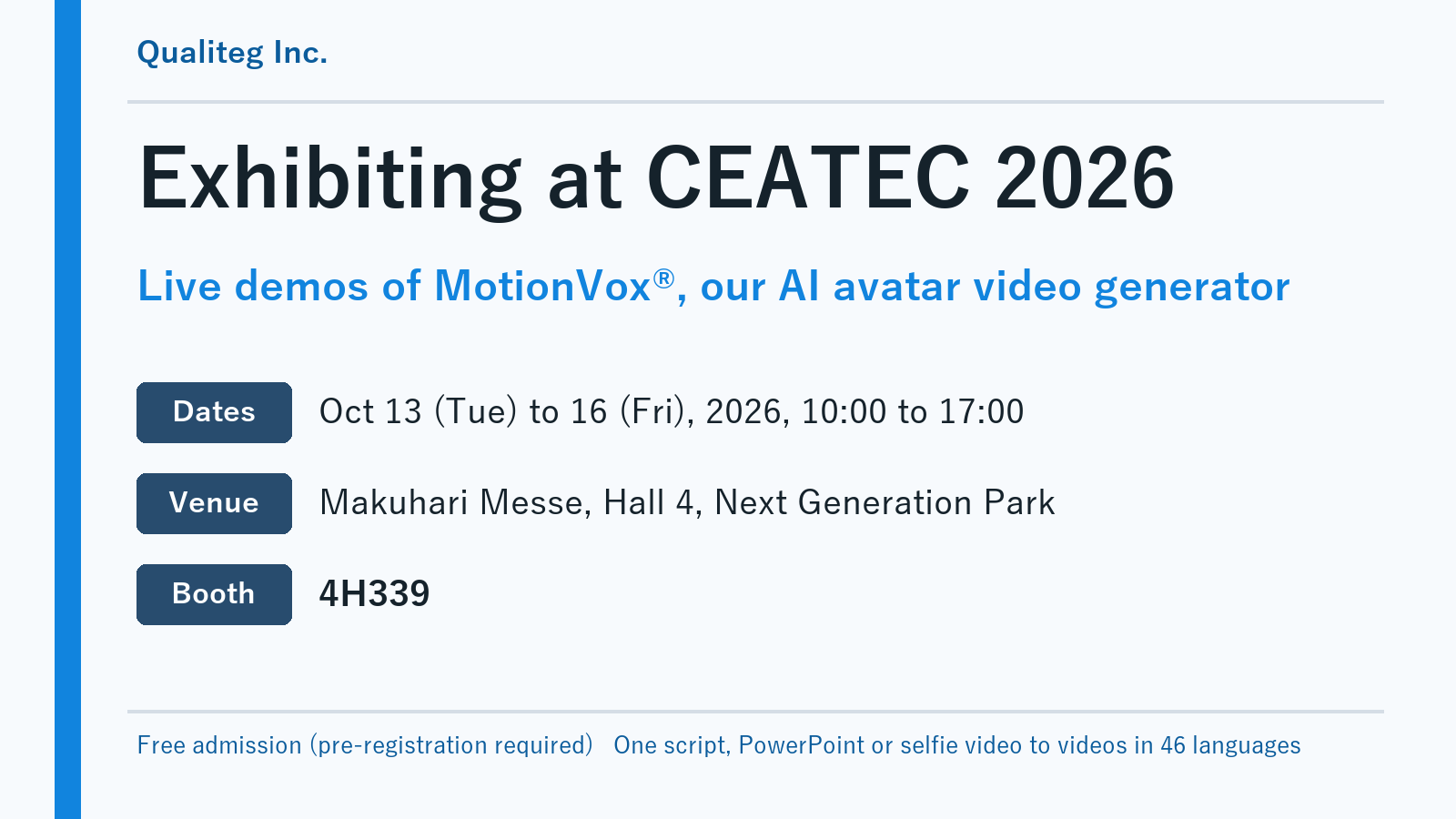
Qualiteg Inc. will exhibit at CEATEC 2026, held at Makuhari Messe from Tuesday, October 13 to Friday, October 16, 2026. Our booth centers on the latest version of MotionVox®, our AI avatar video generation service, with live video generation and finished examples.
This is our second consecutive year at CEATEC, following CEATEC 2025. You can read about last year's booth in our exhibition report.
Exhibition Overview
- Dates Tuesday, October 13 to Friday, October 16, 2026, 10:00 to 17:00
- Venue Makuhari Messe (2-1 Nakase, Mihama-ku, Chiba-shi, Chiba)
- Area Next Generation Park
- Booth Hall 4, 4H339
- Admission Free (visitor pre-registration required)
- Exhibitor page on the CEATEC site https://www.ceatec.com/nj/exhibitor_detail_en?id=1303
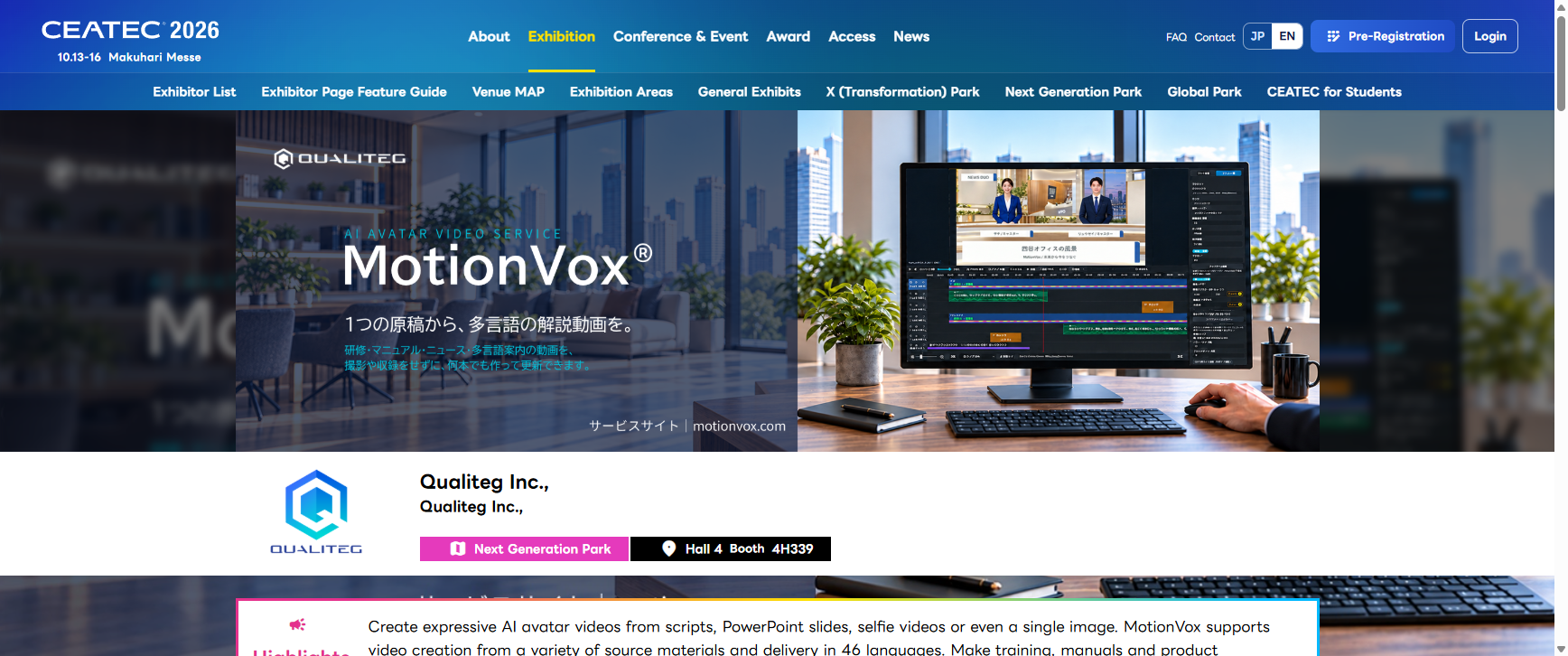
Please note that we have moved from Hall 6 last year to Hall 4 this year.
Highlights From one script to AI avatar videos in 46 languages
1. MotionVox®, our AI avatar video generation service
Your words, spoken by a lifelike avatar. Type a script and you get a video with a natural voice and expressions. No filming, no appearing on camera, no voice recording.
MotionVox® is built on our in-house Expression Aware® and Voice Wrapper Technology®, which deliver natural facial expressions, lip movements and rich vocal expression. You can produce training, manual and product videos with far less filming and updating effort.
Key features
- Over 1,000 AI avatars and AI voices based on professional voice actors' recordings. Your staff never have to show their face or voice
- One presenter or two in conversation. Assign lines to each character and build a show-style video
- Lip movements, expressions and natural head motion. Pick an emote to add a reaction that fits the scene
- Create from a wide range of sources, including scripts, PowerPoint, selfie videos and a single image
- Expand one script into videos and subtitles in 46 languages, keeping the same avatar and the same voice across languages
- When the content changes, edit the script and regenerate. No presenters to book, no reshoots, so training and manuals stay current
MotionVox website https://motionvox.com/
2. Pick a template, edit it, and your avatar video is ready
Choose how you want it to look from a wide range of templates, then edit the script, text and images. News, training and store guides take shape right away. No filming or editing skills needed.
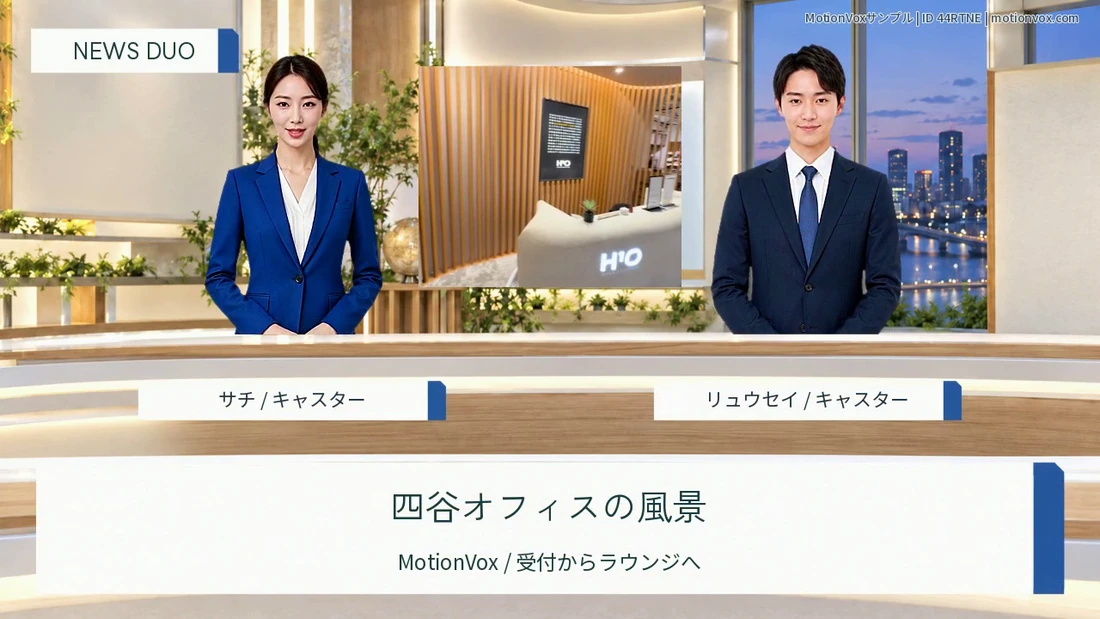
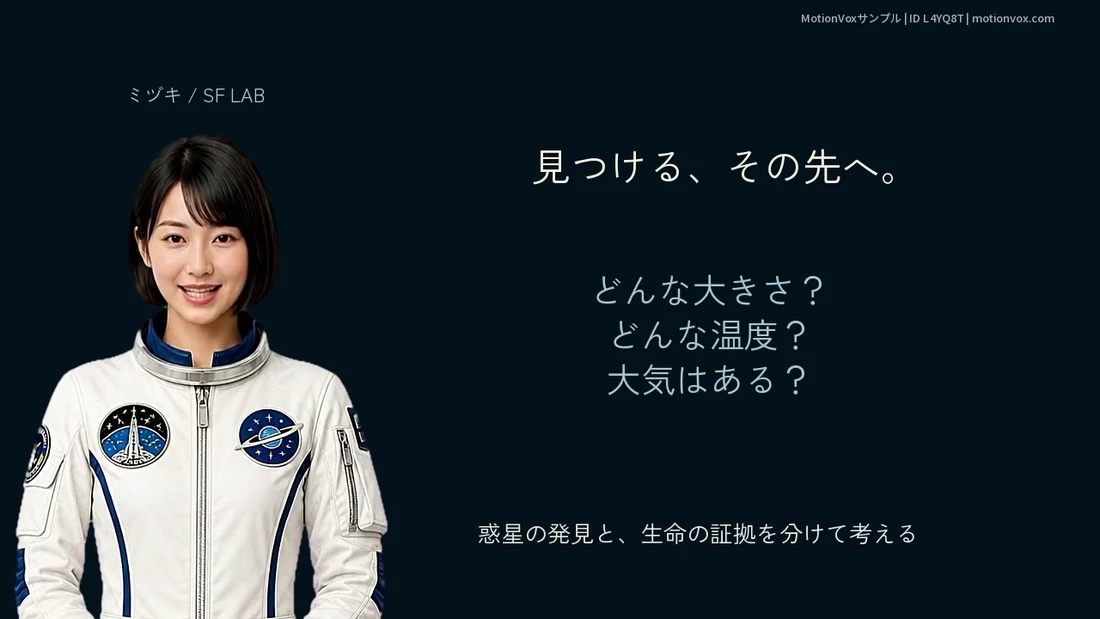
Training and classroom videos work the same way with an instructor avatar, for onboarding, information security training and sharing work rules.
3. Turn a PowerPoint file into a video presented by an avatar, automatically
MotionVox® builds a script from your PowerPoint file and generates a video in which a lifelike avatar walks through the slides. Choose a single presenter or two avatars in conversation. Your speaker notes can serve as the script.
4. Automatic translation and multilingual batch generation in 46 languages
Make the video in Japanese, choose the languages you need, and MotionVox® translates the lines, the on-screen text and even the text inside images, then generates the videos in one batch with the same avatar and the same voice. Proper nouns are translated with their reading in mind, so a place name like Shibuya stays "Shibuya" in English and Chinese.
Below are the Japanese and English versions of a restaurant video made with the "Seasonal Table" template. The same avatar speaks with the same voice.
The Chinese version is available here. Inbound tourism guides, overseas product introductions and multilingual training all reach across languages.
5. Selfie-to-Avatar and original avatar creation
Beyond the ready-made avatars, you can cast your own performance, or a character created from a prompt or a photo.
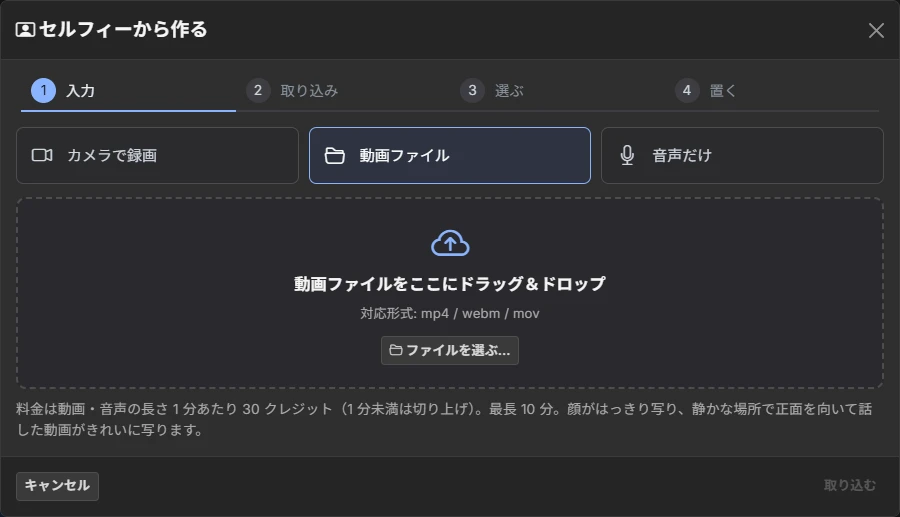
Selfie-to-Avatar
Record yourself talking to the camera, and MotionVox® transfers your expressions and head movements to the avatar you chose. Your own pacing and nods carry into the video. Voice Wrap lets you change the voice as well.
Original avatar creation
Generate a character from a prompt, use a single photo, or take a picture in the app. Whichever route you choose, the avatar moves as naturally as if it were alive.
6. Add expressions at any moment with a wide range of emotes
A nod, a look of surprise, a shy smile, a wink. Give your lifelike avatar the reaction the scene calls for. Pick an emote and MotionVox® combines the expression with the head motion, and you can fine-tune the strength and timing on the timeline.
7. English-learning videos, made entirely in MotionVox®
"ONE MORE: Listen and Understand English Conversation" combines English and Japanese, two avatars, subtitles and commentary. Listen without subtitles, understand through the Japanese commentary, then listen again with English subtitles. The whole sequence was built in the MotionVox® editor alone.
8. Live demos and examples at the booth
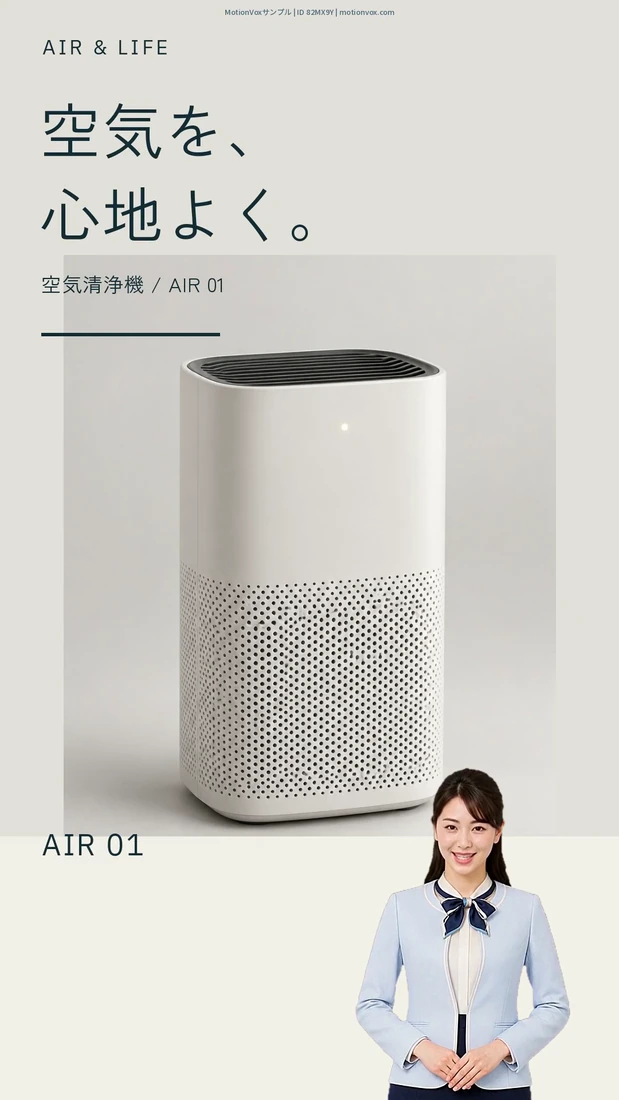
At the booth we will generate videos from templates in front of you. We will also have examples for training, manuals and product introductions, so please come and judge the visual and voice quality on real hardware.
What Makes MotionVox® Different
Technology developed in Japan, in house
The expression engine Expression Aware® and the voice technology Voice Wrapper Technology® behind MotionVox® were both developed by Qualiteg.
At last year's booth, visitors often asked whether we were using an external API, and were surprised to hear it was our own engine. MotionVox® reproduces the subtle changes of expression and the restrained yet rich emotional range characteristic of Japanese speakers.
Avatars and voices with rights respected
Every dataset used to build our avatars and voices comes from performers under contract who have given the required permissions. We never scrape people's images or voices from the internet for training. Generated videos can be used commercially.
Peace of mind on security
We offer a domestic server plan that processes input data entirely in Japan without sending it to overseas servers. Because the video generation technology is our own, an on-premises configuration that runs inside your own environment is also available. Public institutions and companies handling confidential information are welcome to consider it.
Video production built for updates
Training materials and manuals are never finished. They keep changing. With MotionVox® you edit the script and regenerate, so the content stays current regardless of presenters' schedules or reshoots.
Turning sales explanations into video is another use. It aligns the message that used to vary from one representative to another.
What Has Changed Since Last Year
A year has passed since we unveiled Expression Aware v2.0 at CEATEC 2025. Here is how MotionVox® has evolved.
| Item | CEATEC 2025 (October 2025) | CEATEC 2026 (October 2026) |
|---|---|---|
| Languages | 30+ | 46 |
| Inputs | Text, conversational audio, selfie video | Script, PowerPoint, selfie video, a single image |
| Avatars | Full-body avatars added | Over 1,000 to choose from, plus original avatars |
| Starting point | Write a script and generate | Pick a template and enter your content |
| Expressions and gestures | Lip sync and subtle expressions | Emotes placed on the timeline |
| Booth | Hall 6 (6H207) | Hall 4 (4H339) |
With more languages and more input formats, the person making the video needs even less prior knowledge than before.
Come Visit Our Booth
Come and experience the latest in AI avatar video generation for yourself.
While you watch the technology demonstrations, we will show you concretely how it can serve your training, manuals, product introductions and multilingual communication.
We look forward to welcoming you.
Meeting reservations
You can book a meeting at the Makuhari venue or online from our exhibitor page on the CEATEC 2026 site. If you would like an unhurried conversation even during busy hours, we recommend booking in advance.
- Meeting reservations View available dates (CEATEC 2026 official site)
Visitor information
Admission to CEATEC 2026 is free, but pre-registration is required. Create a My Page on the official site and register, then either print your badge at home or show the QR code at the pick-up counter at the venue to receive a visitor badge. The badge is valid for all four days. Same-day registration at the venue is also possible.
- Visitor registration (CEATEC 2026 official site)
- Venue map (CEATEC 2026 official site)
- Access (CEATEC 2026 official site)
Contact
Qualiteg Inc.
- Email ceatec2026@qualiteg.com
- Website https://qualiteg.com/
- MotionVox® https://motionvox.com/
- Privacy policy https://qualiteg.com/pp.html
Under the theme "Transformation", CEATEC 2026 brings together people, technology and information from every industry to shape the future through co-creation. At our booth you can see for yourself the new way of communicating that AI avatar video makes possible. We hope to see you there.