Claude Code Suddenly Asks for Approval on grep: v2.1.259 Now Applies Read Deny Rules to Bash grep
You run Claude Code in bypassPermissions, yet grep -r started waiting for approval today. The cause is v2.1.259, released September 2, 2026: Read deny rules in settings.json now apply to Bash grep. We measured it side by side with v2.1.258 and tabulated what passes and what stops.

Hello!
Until yesterday, Claude Code ran grep without saying a word. This morning (September 3, 2026), it started stopping.
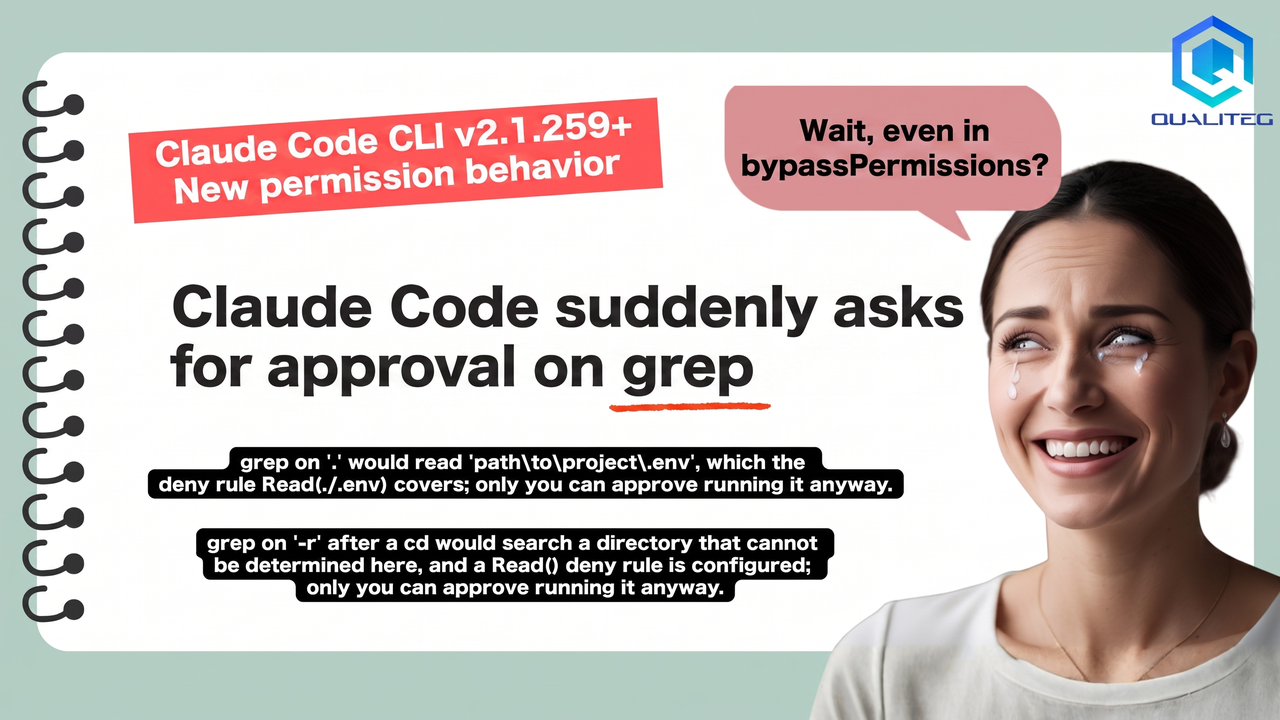
grep on '.' would read 'C:\path\to\project\.env', which the deny rule
Read(./.env) covers; only you can approve running it anyway.
grep on '-r' after a cd would search a directory that cannot be determined
here, and a Read() deny rule is configured; only you can approve running it
anyway.My environment is Windows 11, and the permission mode is bypassPermissions. I have not touched a single settings file.
To give away the conclusion up front: this is not a bug. It is
an intentional change that shipped in Claude Code v2.1.259, released on September 2, 2026
.
settings.json contains a deny rule such as Read(./.env), and the search scope of a Bash grep -r includes that denied target, the command is judged as "could read that file" and waits for approval.
bypassPermissions does not get you around it.
In this article, I track down the cause in the official changelog and documentation, then run the previous day's v2.1.258 and the current v2.1.259 side by side on my machine, and tabulate which forms of the command pass and which ones stop.
On this blog we have been following Claude Code's "the behavior suddenly changed" class of trouble, including Why Legitimate Operations Work Becomes a "Usage Policy Violation" in Claude Code and What Is That "court" in Claude Code?.
This is another one of those.
1. The cause is written in the v2.1.259 changelog
The official changelog entry for v2.1.259 (September 2, 2026) says it in so many words.
Fixed BashRead()/Edit()deny rules not covering files given as option values (--ignore-revs-file=.env,-f.env,@file),git diff/git grepfile operands, orcd DIR && cat FILEcompounds;grep -r/cp -rover a directory holding a denied file now asks
The two messages at the top of this article correspond to this single line.
grep -r pattern . is exactly the "grep -r over a directory holding a denied file now asks" part.
cd ... && grep -r looks like a side effect of the handling for "cd DIR && cat FILE compound commands."cd, Claude Code cannot statically determine the current directory, so it errs on the safe side and asks. That is my reading (it involves some guesswork).
Note that v2.1.259 is not the first release in this line of changes. v2.1.246 (August 25, 2026), one week earlier, has a similar line.
Fixed BashRead()/Edit()deny rules not applying to< fileredirects and reader commands liketacandegrep; a deny rule on any argument or redirect target now refuses the command
In other words, from late August into early September, Anthropic has been closing off, one by one, the loopholes for touching denied files through Bash.
All of these are labeled Fixed in the changelog, so it is best not to expect them to be reverted.
2. Tested side by side with the previous day's v2.1.258
Insisting from memory that "it did not happen yesterday" gets nobody anywhere, so I reproduced it locally.
Here is the folder used for reproduction. private/ is the denied target, and an ordinary file sits in src/.
blog_claude_code_read_deny/
├── deny_settings.json
├── private/notes.txt      ← contents: "hello from private notes"
└── src/app.js             ← contents: console.log("hello from app");
deny_settings.json (full contents)
{
  "permissions": {
    "deny": ["Read(./private/**)"],
    "defaultMode": "bypassPermissions"
  }
}
I pass this settings file via --settings and, in -p (non-interactive mode), instruct: "Run the following command exactly as is with the Bash tool and return the result verbatim."
claude -p "Use the Bash tool to run exactly this command, once, without modification: grep -r hello . Then reply with the complete tool result text you received, verbatim, and nothing else." \
  --settings ./deny_settings.json --permission-mode bypassPermissions \
  --model claude-haiku-4-5-20251001 --output-format stream-json --verbose
v2.1.258 was invoked separately via npx -y @anthropic-ai/claude-code@2.1.258. The results are as follows.
| # | Version | Command passed to Bash | Result | Tool result (excerpt) |
|---|---|---|---|---|
| 1 | 2.1.259 | grep -r hello . | Stops | grep on '.' would read '...\private', which the deny rule Read(./private/**) covers; only you can approve running it anyway. |
| 2 | 2.1.259 | cd src && grep -r hello . | Stops | grep on '.' after a cd would search a directory that cannot be determined here, and a Read() deny rule is configured; only you can approve running it anyway. |
| 3 | 2.1.259 | grep -r hello src/ | Passes | src/app.js:console.log("hello from app"); |
| 4 | 2.1.259 | grep -r --exclude-dir=private hello . | Stops | Permission to use Bash with command grep -r --exclude-dir=private hello . has been denied. |
| 5 | 2.1.259 | cat private/notes.txt | Stops | Permission to use Bash with command cat private/notes.txt has been denied. |
| 6 | 2.1.259 | python -c "print(open('private/notes.txt').read())" | Passes | hello from private notes |
| 7 | 2.1.258 | grep -r hello . | Passes | ./private/notes.txt:hello from private notes (the contents of the denied file are printed) |
| 8 | 2.1.258 | cd src && grep -r hello . | Passes | ./app.js:console.log("hello from app"); |
(Verified on September 3, 2026, on Windows 11 with Git Bash. In -p mode, an "awaiting approval" state automatically turns into a refusal, so the "only you can approve" approval prompt you would see in an interactive session comes back here as a refusal message.)
There are four things to read from the table.
With the same settings and the same command, 2.1.258 passes and 2.1.259 stops (#1 vs. #7, #2 vs. #8).
It did not happen until yesterday because the version in use until yesterday did not contain this change.
Specifying the search path explicitly makes it pass (#3).
grep -r hello src/ works because there is nothing denied under src/, so the check does not trigger.
Adding an exclusion option does not help (#4).
--exclude-dir=private still stops. Claude Code apparently does not interpret grep's exclusion options (this is an inference from the observed results). You will see explanations online claiming that adding --exclude makes it OK, but at least in v2.1.259 it does not work.
Going through Python slips straight through (#6).
cat stops, yet opening the same file from a Python script prints its contents. This is the documented behavior, discussed below.
3. Why it stops even in bypassPermissions
Claude Code's permission rules are evaluated in a layer separate from the mode.
Quoting the official documentation (Configure permissions) verbatim:
Rules are evaluated in order: deny, then ask, then allow. The first match in that order determines the outcome, and rule specificity doesn't change the order.
And the permission mode page (Choose a permission mode) says this:
Modes set the baseline. Layer permission rules on top to pre-approve or block specific tools. Deny rules block in every mode, includingbypassPermissions. (...) Allow rules have no effect inbypassPermissions.
Put in order, it looks like this.
| Layer | Role | Handling in bypassPermissions |
|---|---|---|
| deny rules | Block on match | Blocks (takes precedence over the mode) |
| ask rules | Ask on match | Asks (never auto-approved in any mode) |
| Permission mode | Default behavior for calls that matched neither of the above | Skips the approval prompt |
| allow rules | Pass without asking on match | No effect (everything already passes) |
bypassPermissions only auto-approves calls that matched neither deny nor ask. Deny rules sit in front of it.
So adding --dangerously-skip-permissions is pointless. It just specifies the same mode under another name.
While we are at it: returning allow from a PreToolUse hook cannot override deny either.
Hook decisions don't bypass permission rules. Claude Code evaluates deny and ask rules regardless of what a PreToolUse hook returns
4. Why grep trips a Read rule
Read(./.env) looks like a rule dedicated to the Read tool, but it is not. The warning box in the current documentation reads:
Read and Edit deny rules apply to Claude's built-in file tools and to file commands Claude Code recognizes in Bash, such ascat,head,tail, andsed. They don't apply to arbitrary subprocesses that read or write files indirectly, like a Python or Node script that opens files itself. For OS-level enforcement that blocks all processes from accessing a path, enable the sandbox.
Trials #5 (cat stops) and #6 (Python passes) match this description exactly.
For Grep and Glob, it goes on to say:
Claude makes a best-effort attempt to apply Read rules to all built-in tools that read files like Grep and GlobGrep and Glob search the directory thepathargument resolves to. Claude Code appliesReaddeny rules to that directory.
So Read rules have long been applied on a "best-effort" basis to the built-in Grep tool, and in v2.1.259 the same thinking was extended to Bash grep -r. That is the natural reading.
grep -r pattern . targets the entire current directory, so it could read the .env inside it. Therefore it stops. The logic is simple.
4-1. Until recently, the documentation said the exact opposite
This is the point that confuses people who look it up by searching.
Issue #45200, opened on April 8, 2026, quotes the official documentation as it read at the time.
Read and Edit deny rules apply to Claude's built-in file tools, not to Bash subprocesses.
The opposite of the current wording. The reporter (macOS, v2.1.92) said that putting Read(~/private-dir/**) in deny caused ls ~/private-dir/ to be auto-rejected, and pointed out the discrepancy between the docs and the implementation.
That issue was closed as not planned (with a stale label), and it looks as though the documentation was rewritten to match the implementation (the issue's state and labels were checked on September 3, 2026; when and why the docs were rewritten is unconfirmed).
There are reports in the opposite direction, too. Issue #57525, dated May 9, 2026, says the Grep tool slipped past a Read deny and returned the contents of a settings file, and it was closed as a duplicate.
A request to close the loophole and a false-positive report resulting from closing it sit side by side in the same period.
Many explanatory articles online cite the pre-rewrite documentation. Any article that says "Read deny rules do not apply to Bash" can no longer be relied on.
5. Check your own environment
First, look at which rules are in effect.
/permissionsThis lists every rule along with the settings file it comes from. The settings files live here:
| Settings file | Scope |
|---|---|
<project>/.claude/settings.json | Project (shared under Git) |
<project>/.claude/settings.local.json | Local (you only) |
~/.claude/settings.json | User (common to all projects) |
If a rule you do not recognize is in the project-side file, the commit history tells you who added it and when.
git log --oneline -- .claude/settings.json
git blame .claude/settings.json
Copying one of the widely circulated "Claude Code security settings templates" usually brings in the following three lines. These are what trips the check this time.
"deny": [
  "Read(./.env)",
  "Read(./.env.*)",
  "Read(./secrets/**)"
]
Note that, according to the documentation, Read(.env) and Read(**/.env) mean the same thing and match a .env at any depth below the current directory. A single-segment directory pattern such as Read(./secrets/**) also matches, as a deny rule, a secrets directory at any depth.
In other words, a single .env somewhere deep in the project is enough to make a grep -r from the root stop.
6. Two remedies, plus sandbox if you want to harden
6-1. Make grep specify the target path (if you want to keep the rule)
grep -r "pattern" src/        # passes (#3)
grep -r "pattern" .           # stops (#1)
cd src && grep -r "pattern" . # stops (#2)
grep -r --exclude-dir=private "pattern" .   # stops (#4)
Specify a directory that contains no denied target and the check does not trigger.cd out of the picture and you do not hit "cannot be determined" either.
If you write in CLAUDE.md that "grep must always name its target directory, never target the entire current directory, and never be combined with cd," Claude will start choosing that form.
It is not enforceable, though. The documentation states plainly that CLAUDE.md instructions change what Claude attempts, not what Claude Code allows.
In an interactive session, approving at the prompt runs the command. That is what the trailing "only you can approve running it anyway" means (whether the approval can be remembered so you are not asked next time is unconfirmed).
6-2. Remove the Read deny rules (if you want it to stay quiet)
What was strengthened this time is the check that matches Bash arguments and redirect targets against Read/Edit deny rules. If there is not a single Read rule to match against, the check never fires.
{
  "permissions": {
    "deny": [
      "Bash(rm *)",
      "Bash(sudo *)"
    ],
    "defaultMode": "bypassPermissions"
  }
}
On my machine, too, switching to a settings file without the Read rule let grep -r hello . through. Naturally, the contents of private/ then appear in the search results.
.env will end up in the model's input context and may be sent to the provider you use. Choose this option only with that understood.
6-3. Add sandbox if you really need to protect secrets (it is not a fix for the approval prompt)
This is easy to misunderstand, so let me draw the line first. Enabling the sandbox does not make this approval prompt go away.
According to the documentation, the sandbox and permission rules are not substitutes; they are separate layers used together. With the sandbox enabled, deny rules still apply as before, and Read/Edit deny rules are additionally merged into the sandbox's filesystem boundary.
Filesystem restrictions in the sandbox combine the sandbox.filesystem settings with Read and Edit deny rules; both are merged into the final sandbox boundaryExplicit deny rules still apply
So the sandbox is not a way to eliminate approval prompts. It is a way to block, at the OS level, the paths that permission rules cannot stop.
As trial #6 shows, permission rules do not stop a Python script from opening a file on its own. The documentation is built the same way: if you want to block access from every process at the OS level, enable the sandbox. It is for people who want to close that hole.
{
  "sandbox": {
    "enabled": true
  }
}
One caveat. The built-in Bash sandbox runs on macOS, Linux, and WSL2 (per the permission mode documentation). If, like me, you use Git Bash on native Windows, this option is not available as is.
6-4. Which to choose
| Situation | Recommendation |
|---|---|
| settings.json is shared by the team and you cannot remove rules on your own | 6-1. Write the grep convention in CLAUDE.md and approve when it stops |
| Personal dev machine, and you do not mind .env contents ending up in the context | 6-2. Remove the Read deny rules |
| Keep the Read deny and also block bypasses via Python and the like. macOS / Linux / WSL2 | 6-1 plus 6-3. Add the sandbox (the approval prompt remains) |
| Same as above, on native Windows | 6-1, plus keep secret files outside the working tree |
7. Where to look if it still stops
7-1. Is defaultMode set to auto?
According to the permission mode documentation, on the Pro, Max, and Team plans the default mode at session start is auto.auto is a mode in which a classifier (a separate model) checks every call and blocks what it judges dangerous, which is a different thing from bypassPermissions.
If you switch modes with Shift+Tab, you can end up running in a mode you did not intend. Check the status bar (⏵⏵ bypass permissions on or ⏵⏵ auto mode on).
7-2. Is a PreToolUse hook getting in the way?
"hooks": {
  "PreToolUse": [
    { "matcher": "Bash|Write|Edit", "hooks": [ ... ] }
  ]
}
Hooks can block tool calls. When a hook is doing the blocking, the error text includes the hook name, as in PreToolUse:Bash hook error, so it is distinguishable from the deny message discussed here.
The quickest way to isolate it is to temporarily add "disableAllHooks": true.
7-3. Is it your company's managed settings?
A deny rule in managed settings cannot be overridden from any level, including command-line arguments.
no other level, including command line arguments, can override a managed permission rule
/permissions shows the origin of each rule. If it says managed, you cannot remove it yourself. Talk to your administrator.
7-4. Relative paths in user settings are anchored to ~/.claude
One more trap that is easy to miss. If you write ~/.claude/settings.json in Read(/secrets/**), it points to ~/.claude/secrets/**, not to the project's secrets/.
If you want it to apply to every project, the documentation says to write an absolute path starting with // or a path starting with ~/. Windows paths are normalized to the /c/Users/... form, so to point at every .env on the whole drive, write //c/**/.env.
8. Summary
If grep started stopping on you today, check things in this order.
| What to check | How |
|---|---|
| Is Claude Code 2.1.259 or later? | claude --version |
| Are there Read deny rules in effect? | List them with /permissions, and check where they come from |
| Is it a deny rule, a hook, or managed settings that is blocking? | Tell them apart by the shape of the error text (Section 7) |
| Which remedy to pick? | The table in 6-4 |
In one sentence: Read deny rules now reach Bash grep -r; bypassPermissions cannot get around it; to avoid the approval prompt you either name the search path explicitly or remove the rule; and the sandbox is not a fix for the prompt but an added layer of protection.
According to the changelog, Claude Code advanced 13 version numbers in just nine days, from 2.1.246 on August 25 to 2.1.259 on September 2, and the permission system in particular keeps getting worked on.
This is an area where "it worked until yesterday" does not hold, so making a habit of checking the changelog first whenever the behavior changes will save you a lot of wear.
Honestly, it changes so often that you get frequent "oh no" moments: one long task finishes, you kick off the next one, and it stops in an instant.
AI agents really do need human supervision.
See you next time!
Sources and references
- Claude Code changelog (official) — the relevant lines for v2.1.259 and v2.1.246
- Configure permissions (official documentation) — evaluation order, scope of Read/Edit rules, settings file locations, managed settings
- Choose a permission mode (official documentation) — list of modes, deny is effective in every mode, supported OSes for the sandbox
- Issue #45200 Documentation discrepancy: Read(...) deny rules affect Bash tool calls (GitHub)
- Issue #57525 Ignores Read Permissions when Using Grep (GitHub)
Related articles
- Why Legitimate Operations Work Becomes a "Usage Policy Violation" in Claude Code — Real-Time Cyber-Safeguard False Positives and How to Handle Them
- What Is That "court" in Claude Code? The "XML Leak" Phenomenon and Guarding Against Unexecuted Tool Calls
- Diagnosing and Fixing the Recurring "The model's tool call could not be parsed" Error in Claude Code
- Claude Opus 5.0 Complete Guide: Model Specifications, API Notes, and Claude Code Operations