
chocoGrep: A Free Browser Tool for a Quick Little grep of Your Logs


Hello!
Today we built a small tool.
It is a tool for doing a quick little grep on your logs. Free, of course.
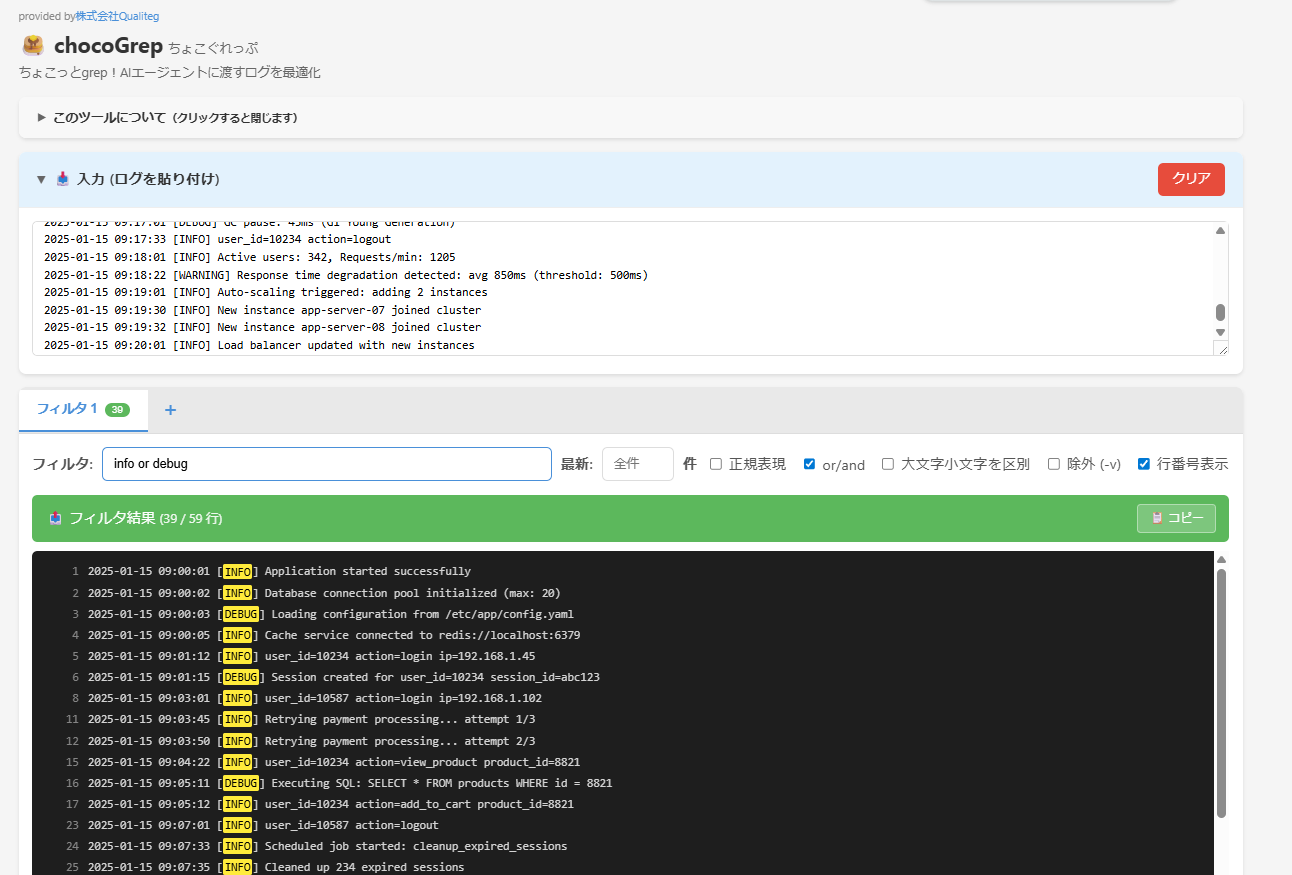
Cursor, Devin, Claude Code, ChatGPT — handing error logs to an AI coding agent and having it help you debug is everyday practice now.
But then:
- You paste the whole log, and the AI's responses get painfully slow
- You get scolded with "token limit exceeded"
- With so much log, the AI ends up focusing on the wrong part
So we built one — a tool for a quick little grep.
We named it chocoGrep!
What is chocoGrep?
It is a laid-back grep tool that runs in your browser.
Paste your log, type a search word, and that is it. No installation, no sign-up, completely free. Your data is never sent to a server, so confidential logs are safe too.
It is built to be something you can reach for casually, without ceremony.
Just write "error or warning" — that is the whole idea
chocoGrep's favorite feature is its relaxed or/and search.
No need to write something like (error|warning) in regex. Just type:
error or warning
That is all. Every line containing either error or warning shows up.
AND is just as simple.
timeout and database
This extracts only the lines containing both timeout and database.
No need to dust off your regex. Just write what you mean. This low-friction style is quietly a lifesaver when you are digging through logs.
You can chain several terms, too.
error or warning or exception or failed
That catches all the major error patterns in one sweep
Key Features
or/and search (on by default)
error or warning→ lines containing eithertimeout and database→ lines containing both- No regex required — write it intuitively
Multiple filters (tabs)
Manage multiple search conditions at once in tabs — "ERROR", "WARNING", a specific user ID, and so on.
Show the latest N lines
Narrow down to "just the latest 100 lines." Perfect for controlling how much log you hand to an AI.
Exclusion filter (equivalent to grep -v)
Filter out the noisy log lines.
Regex support
For when you really need complex patterns. Toggles exclusively with or/and mode.
Works with every programming language
Python, Java, JavaScript, Go, Rust, C++... logs from any language are fine.
When to Use It
Feeding logs to AI agents
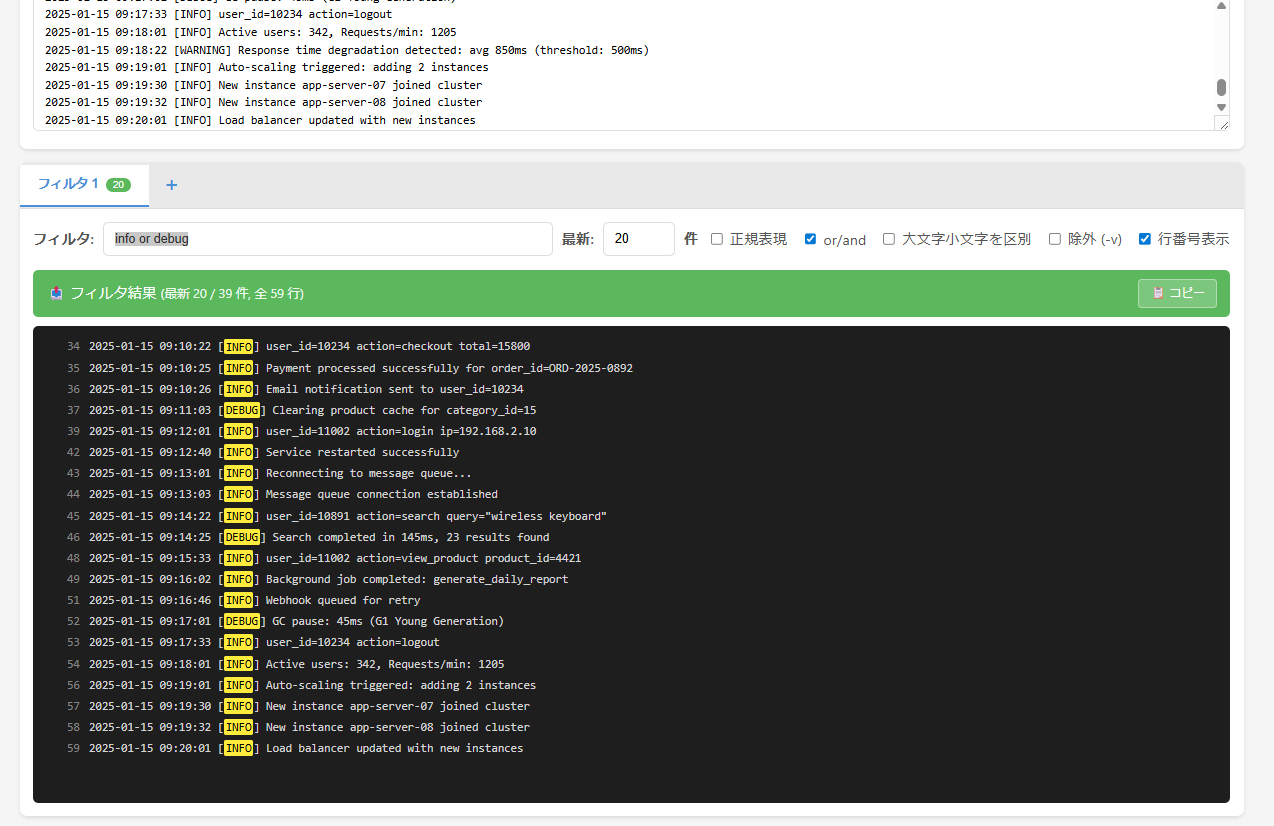
Rather than handing over 100,000 lines of raw log, use
info or debug
to grep it down to the latest 20 lines first. The AI's response speed improves dramatically.
Search multiple error patterns at once
NullPointerException or OutOfMemoryError or StackOverflowError
Find the common Java exceptions in one go. Far easier than writing the regex.
Combining specific conditions
user_id=12345 and error
Extract only a particular user's errors. Narrowing with AND makes root-cause hunting much faster.
Environments without a terminal
A Windows PC with no grep command... an IDE with no grep support... as long as you have a browser, you are set.
Video Walkthrough (in Japanese)
Summary
AI coding agents are powerful, but the quality of the input determines the quality of the output.
Just typing "error or warning" is enough for chocoGrep to filter things down instantly — please give it a try
It even spares you the trouble of remembering regex. When you want just a quick little grep, this one is for you.



