[AI×CAD] Part 4: Review a Design with AI Without Sending 3D Geometry to the LLM — Analyze First, Then Pass Structured Results
You can get an AI design review without uploading confidential 3D data to a cloud AI. In CADAS, the geometry engine analyzes tooth counts, couplings, holes and fillets first, and the LLM receives only that structured data (about 1 KB). Real findings, the JSON we sent, and the abuse safeguards.

![[AI×CAD] Part 4: Review a Design with AI Without Sending 3D Geometry to the LLM — Analyze First, Then Pass Structured Results](/content/images/size/w1200/2026/09/ai-cad-step-viewer-part4-en.png)
Hello! This is the Qualiteg Product Development Team!
Before a design review, someone has to explain the assembly, describe the holes, and organize the questions. Does every review begin with this preparation? Separating the work of extracting numbers from 3D geometry from explaining their meaning makes the role of AI clearer.
CADAS passes numbers and structure obtained through geometric analysis to AI: five parts, gears with 15 and 30 teeth, an estimated coupling ratio of −0.5. With those inputs prepared, AI can explain the assembly and put questions for the designer into words. Standard AI Review sends an analysis summary externally; the original STEP file stays in the browser.
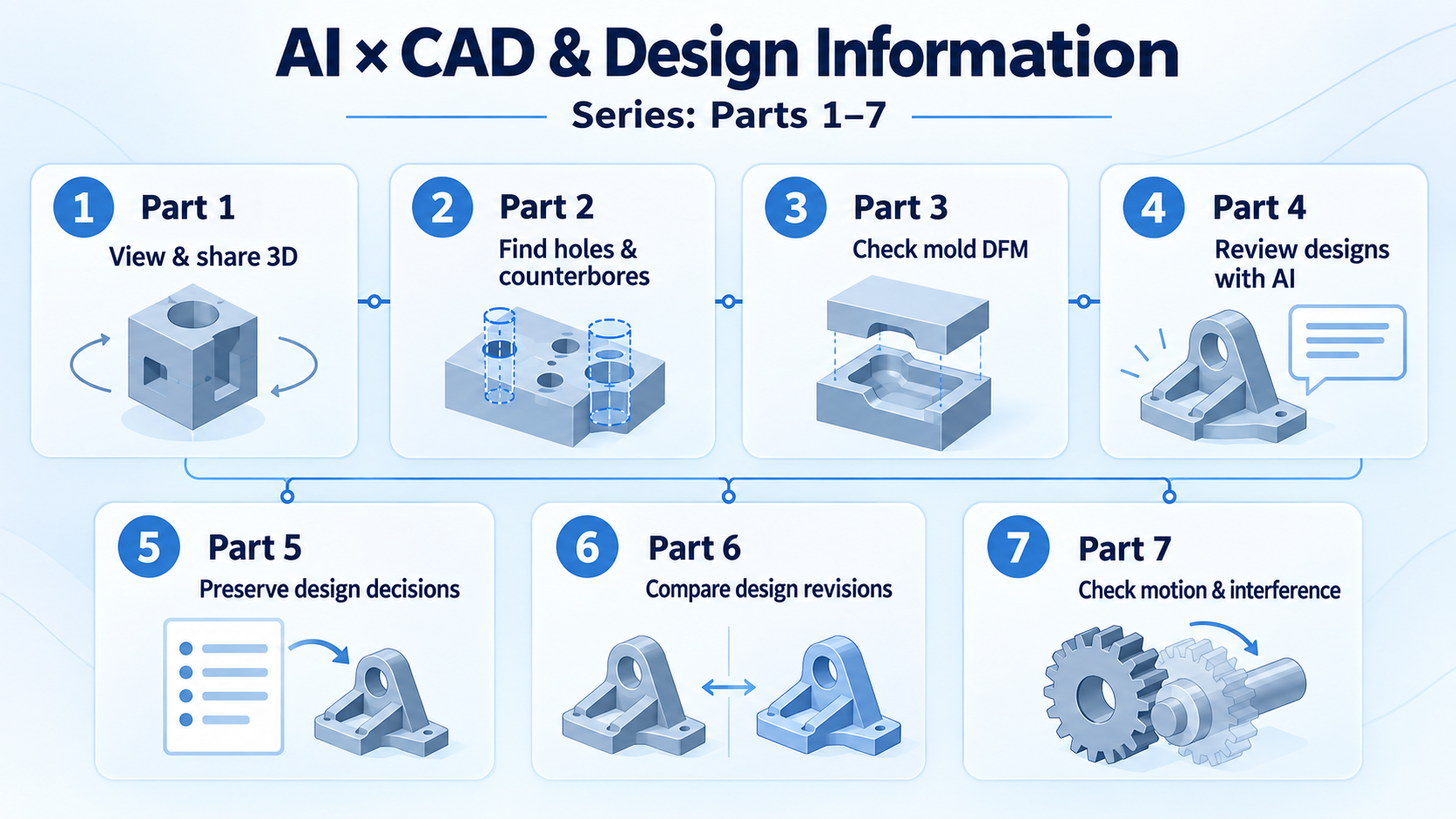
This is Part 4 of our AI × CAD and Design Information series. We will explain the design behind CADAS and its AI Review feature from the developers' perspective. CADAS is our free 3D CAD viewer and AI analysis tool. The AI output, request data, and timings discussed here come from actual runs.
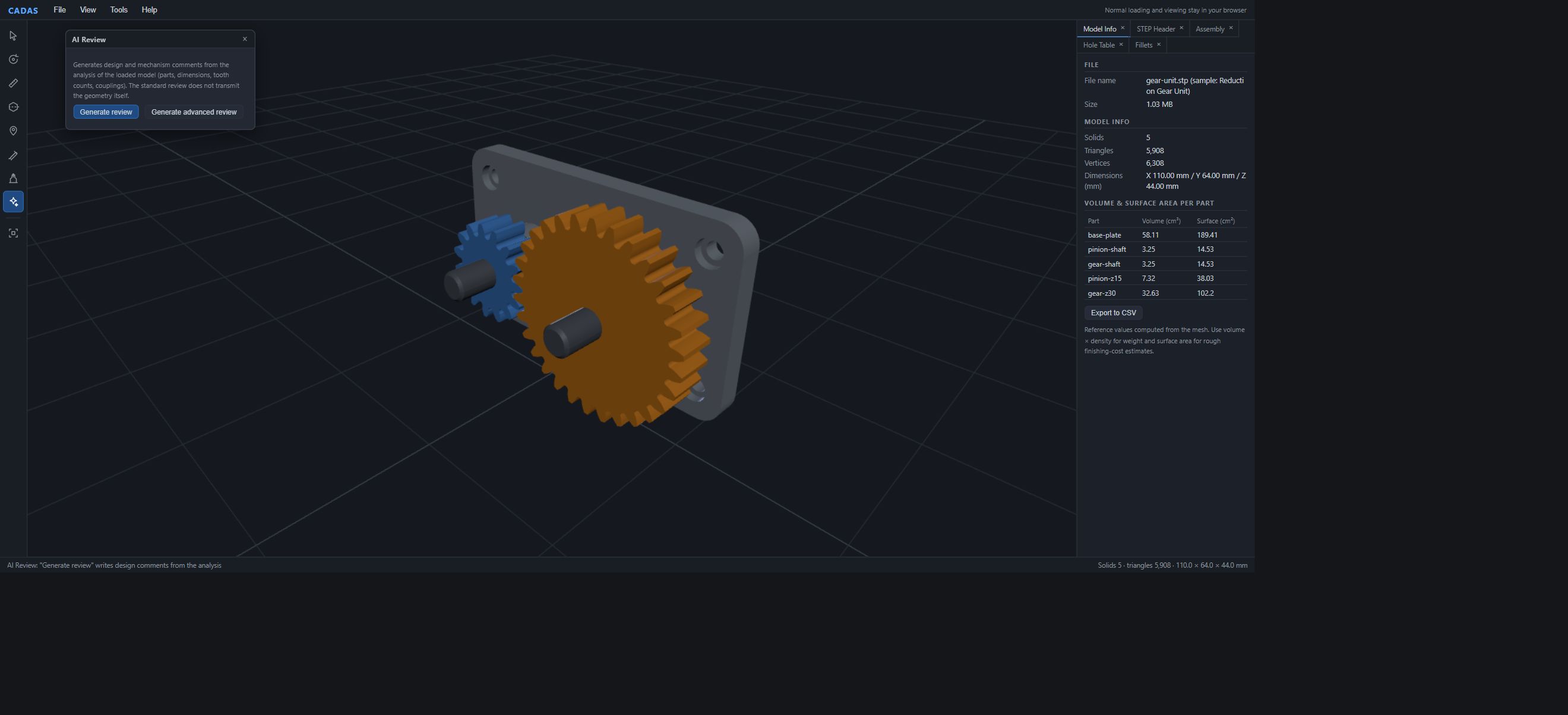
Generate review for a reduction gear unit
Open the five-part Reduction Gear Unit in the Sample Gallery, then choose AI Review from the left toolbar. A floating window opens.
In the original test, Generate review returned a result after 27 seconds. The quoted passage below is translated from that output. Generation time and wording vary between runs; the screenshot shows a separate run of the English interface.
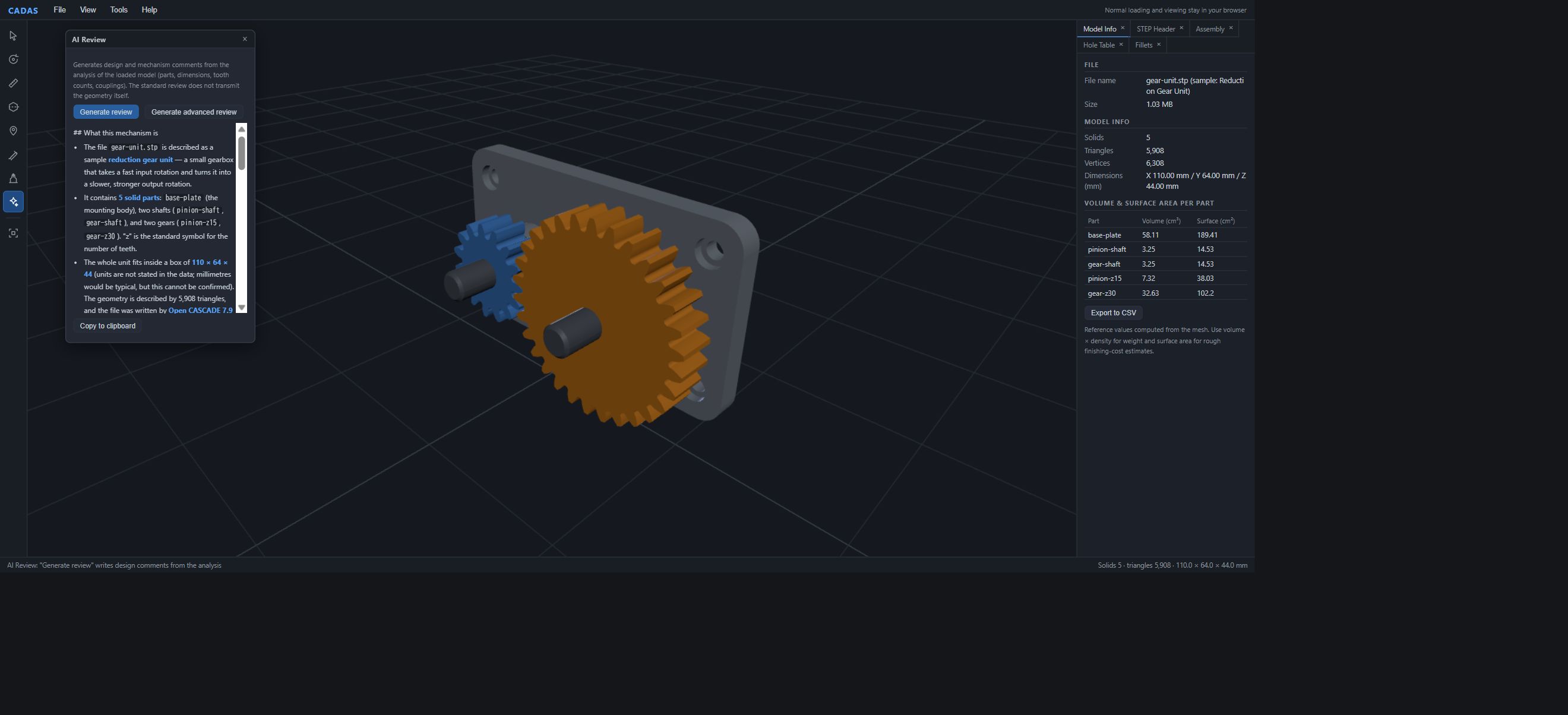
This is an assembly of a reduction gear unit—a device that uses gears to lower rotational speed—with two gears reducing speed by half. It has five parts: the base-plate, input pinion-shaft, output gear-shaft, pinion-z15 (15 teeth), and gear-z30 (30 teeth). […] The small pinion-z15 and large gear-z30 have a gear coupling with a ratio of −0.5. The minus sign indicates opposite rotation: if the pinion turns clockwise, the larger gear turns counterclockwise. The magnitude 0.5 means half the speed. It is a 15/30 = 1/2 reduction. […] The 0.2mm difference between φ9.94 and φ10.14 may indicate different fit intentions, but tolerance information is not included. […] All parts, including base-plate, are recorded as rotatable: true, but the data does not establish whether the base actually rotates.
In this sample, the tooth-count ratio and rotation direction agree with the generated model's settings. The summary does not establish whether the base moves or what tolerances were specified. Phrases such as "may indicate" and "does not establish" help identify the next questions to ask the designer.
This was the complete model-analysis payload sent from the browser
Here is the request sent from the browser to the server in the original test. Only the sample’s display name has been translated into English. Current requests also include a language field (en or ja) to select the review language.
{"analysis":{
  "fileName":"gear-unit.stp (sample: Reduction Gear Unit)",
  "solids":5, "triangles":5908,
  "bbox":{"x":110,"y":64,"z":44},
  "header":{"system":"Open CASCADE 7.9","schema":"AP214"},
  "parts":[
    {"name":"base-plate","teeth":null,"rotatable":true},
    {"name":"pinion-shaft","teeth":null,"rotatable":true},
    {"name":"gear-shaft","teeth":null,"rotatable":true},
    {"name":"pinion-z15","teeth":15,"rotatable":true},
    {"name":"gear-z30","teeth":30,"rotatable":true}],
  "couplings":[
    {"a":"pinion-z15","b":"gear-z30","kind":"gear","ratio":-0.5},
    {"a":"pinion-shaft","b":"pinion-z15","kind":"coax","ratio":1},
    {"a":"gear-shaft","b":"gear-z30","kind":"coax","ratio":1}],
  "holes":[
    {"type":"counterbore","dia":5.46,"depth":8,"count":4,"through":true,"cbDia":8.94,"cbDepth":3},
    {"type":"through","dia":9.94,"depth":12,"count":2,"through":true},
    {"type":"through","dia":10.14,"depth":16,"count":2,"through":true}],
  "fillets":[
    {"r":1.18,"kind":"cylinder","convex":false,"count":30},
    {"r":1.28,"kind":"cylinder","convex":false,"count":15},
    {"r":7.97,"kind":"cylinder","convex":true,"count":4}]
}}
There is no STEP body, triangle geometry, or vertex array. The payload contains part names, tooth counts, couplings and ratios, and hole and fillet summaries. The 1.03MB STEP file becomes roughly 1KB of structured data before reaching AI.
CADAS's geometric analysis engine prepares this information first. Basic analysis of teeth, couplings, holes, and fillets is not delegated to the LLM.
Analyze geometry first; let the LLM explain it and identify implications
This is the central design decision.
To obtain tooth counts of 15 and 30, we sample the outline radius r(θ) at 512 positions around each part's rotation axis and analyze its periodicity with a DFT. Gear-meshing detection requires parallel axes, a center distance matching the sum of pitch radii (derived by estimating the module from tooth-tip circles and tooth counts), and overlapping tooth-band heights. Coaxial fitting uses a clearance within 0.08mm between a hole radius and the other part's outer cylindrical radius. The ratio −0.5 follows from −15/30.
Holes and fillets are the outputs of the classifiers described in Part 2.
By the time AI receives the input, deterministic geometric analysis has already described the counts, estimated couplings, and ratios. Mesh estimates remain approximate and are passed on as such. AI explains these results in accessible language and identifies possible design implications: whether a 0.2mm diameter difference was intentional, for example, or whether counterbores are used consistently instead of countersinks.
Counting teeth and estimating gear meshing are handled by the geometry engine, rather than the LLM. LLMs can make numerical reasoning errors and describe them confidently. That quickly undermines trust in a design workflow. We first produce structured results through deterministic analysis, then use the probabilistic LLM to explain them and discuss implications. We consider that separation essential for reliable use in practice.
The prompt requires: do not invent numbers absent from the data
The recurring qualification "the data does not establish this" is required by the server-side system prompt. Its main instructions can be summarized as follows.
Use only the supplied structured data as evidence. Do not invent numbers or facts absent from it. Begin with a one- or two-sentence conclusion and briefly explain technical terms. If gears are coupled, explain in everyday language whether the ratio increases or reduces speed and how the rotation directions relate. Explicitly identify what cannot be established from the data, and distinguish statements of fact from inference.
The original output described the counterbores as "naturally interpreted as base mounting holes, although this cannot be confirmed," and the R1.18 fillets as "naturally interpreted as rounding at each tooth root, without confirmation in the data." These are examples of the intended wording appearing in a real run. Labeling inference helps readers judge what to rely on and what to check.
Define what AI receives and how much it can be used
The public CADAS AI Review feature uses Claude through our server. Inputs are restricted to model analysis results, with limits on payload size and usage. The same structure provides a starting point for defining what information may reach AI and how it may be used in an internal deployment.
| Control | Implementation |
|---|---|
| Required CSRF token | A short-lived HMAC token issued through a same-origin browser round trip is required; otherwise the request returns 403. This prevents cross-origin CSRF. |
| No free-form input route | Only the structured data above is accepted. Unknown keys are discarded, strings are capped at 80 characters, arrays have item limits, and the server assembles the prompt. There is no field that forwards arbitrary prose directly to the LLM. |
| Usage limits | Daily request and token limits and per-IP hourly limits apply. Reaching a limit stops requests and notifies operations through Slack. |
| Fixed output limit | The server fixes max_tokens. API keys remain server-side, are never sent to the client, and are not included in the repository. |
Structured data still includes design information such as part names and dimensions. Before using standard insights, check whether this summary may be sent to an external service. If it may not, consider an architecture connected to an internal LLM, as discussed below.
Advanced insights uploads STEP to our server, but not to the LLM
Generate advanced review is a separate option. It uploads the STEP file to our server, so selecting it opens a confirmation dialog.
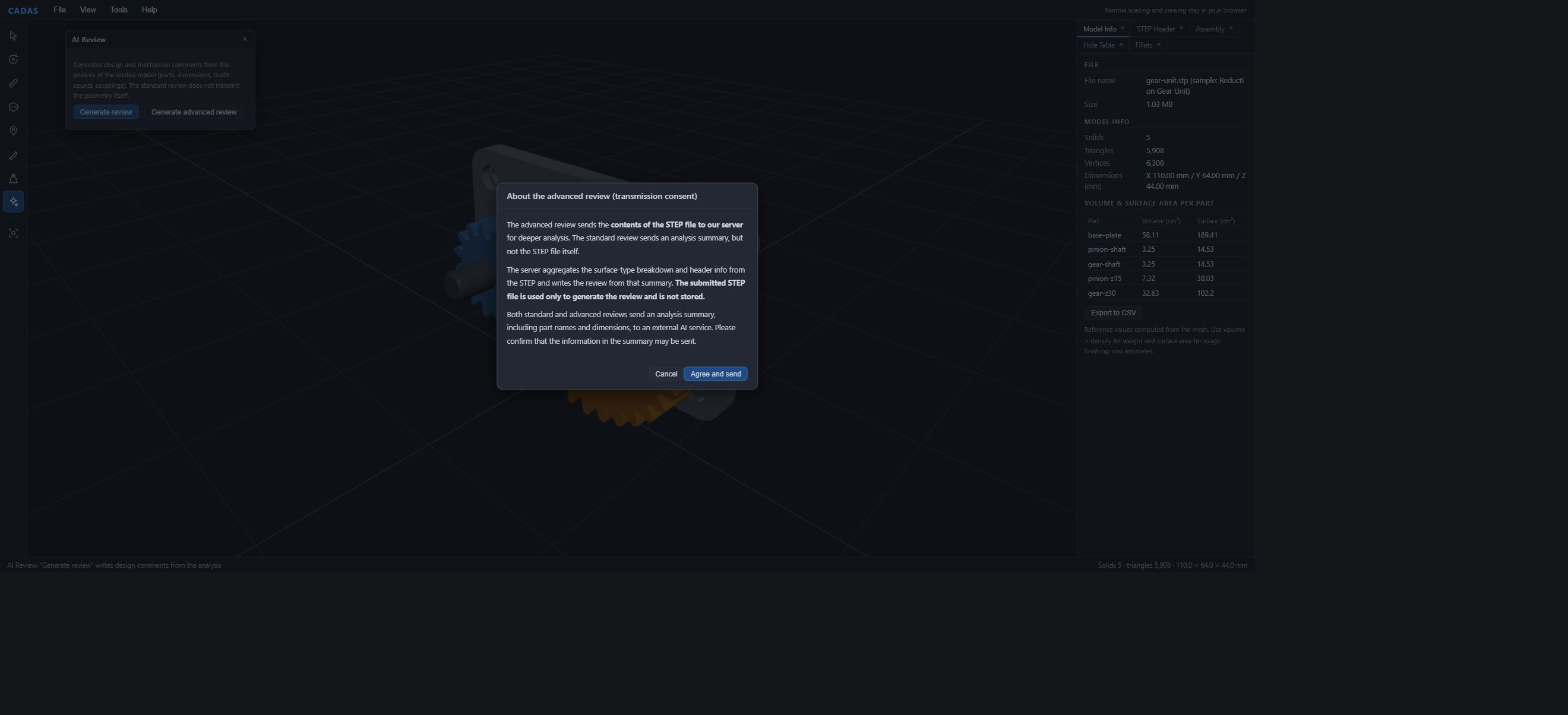
The server extracts the STEP header and counts entity types, such as cylindrical, conical, and freeform surfaces. Only that summary reaches the LLM. The STEP body is discarded from memory after summarization. Neither standard nor advanced insights passes the geometry itself to the external LLM.
How to use AI Review
Insights are rendered as Markdown and can be taken away with Copy to clipboard. We have three uses in mind.
First, explain the model to someone who cannot open 3D data. A procurement or quality engineer receiving a reduction gear STEP file can start a discussion from a plain-language description such as "one reduction stage, ratio 2, opposite rotation, four counterbored mounting holes," without first opening CAD.
Second, prepare for design review. If different hole diameters are identified, use the relevant Hole Table row to locate them in 3D and establish which part each belongs to before asking the designer why the diameters differ. Turn an AI observation into a specific question that can be checked on the model.
The third use is the topic of the next article. Forming questions from geometric facts helps bring out the reasons that may exist only in an experienced designer's memory.
Make it possible to return from the explanation to the geometry
For review preparation, choose one point in the insight to investigate. If it concerns a hole diameter, compare it with the relevant Hole Table entry. Manually place a note at that location with the question for the responsible designer. This connects the prose to its 3D subject. After receiving the answer, add the reason for the decision to the note.
Current CADAS also provides revision comparison and interference checks for defined rotational mechanisms. AI Review explains an analysis summary; people inspect geometry and evidence in the dedicated comparison and interference-check screens.
Using AI prose as an entry point while retaining a route back to the evidence makes review questions easier to organize. In an internal workflow, also decide who checks each point and what records to keep so the tool can support preparation consistently.
Summary
CADAS first organizes tooth counts, estimated couplings, holes, and fillets through geometric analysis, then passes a summary to AI. Choose a point from the insight and verify its location and value in 3D or the Hole Table. Design-review preparation becomes a connected workflow.
In the original test reported here, standard insights returned in 27 seconds. The request contained an analysis summary; the STEP file stayed local. The example demonstrates the separation between geometric analysis and explanation in prose.
Part 5 explains how to preserve the answer to "Why was it designed this way?" alongside the geometry, including the role of local LLMs in transferring design knowledge. Later articles cover revision comparison and assembly motion and interference.
Start by generating one insight
CADAS is free and requires no registration. Under File > Sample Gallery, open Reduction Gear Unit or Analog Watch Movement, choose AI Review from the left toolbar, and click Generate review. Standard insights does not send geometry data even when you use your own STEP file.
Open CADAS in your browser (free, no registration)
For help connecting geometric analysis to your internal LLM infrastructure, including on-premises or local LLMs, or integrating AI into design-review workflows, see our AI × CAD and Design Information Consulting (free consultation).
See you in the next article!
Related articles
CADAS — Free 3D CAD Viewer and AI Analysis Tool, Developed by Qualiteg
![[AI×CAD] Part 6: Show What Changed in 3D — Compare and Share STEP and STL Revisions in Your Browser](/content/images/size/w600/2026/10/ai-cad-step-viewer-part6-en-1.png)